



문서 카메라
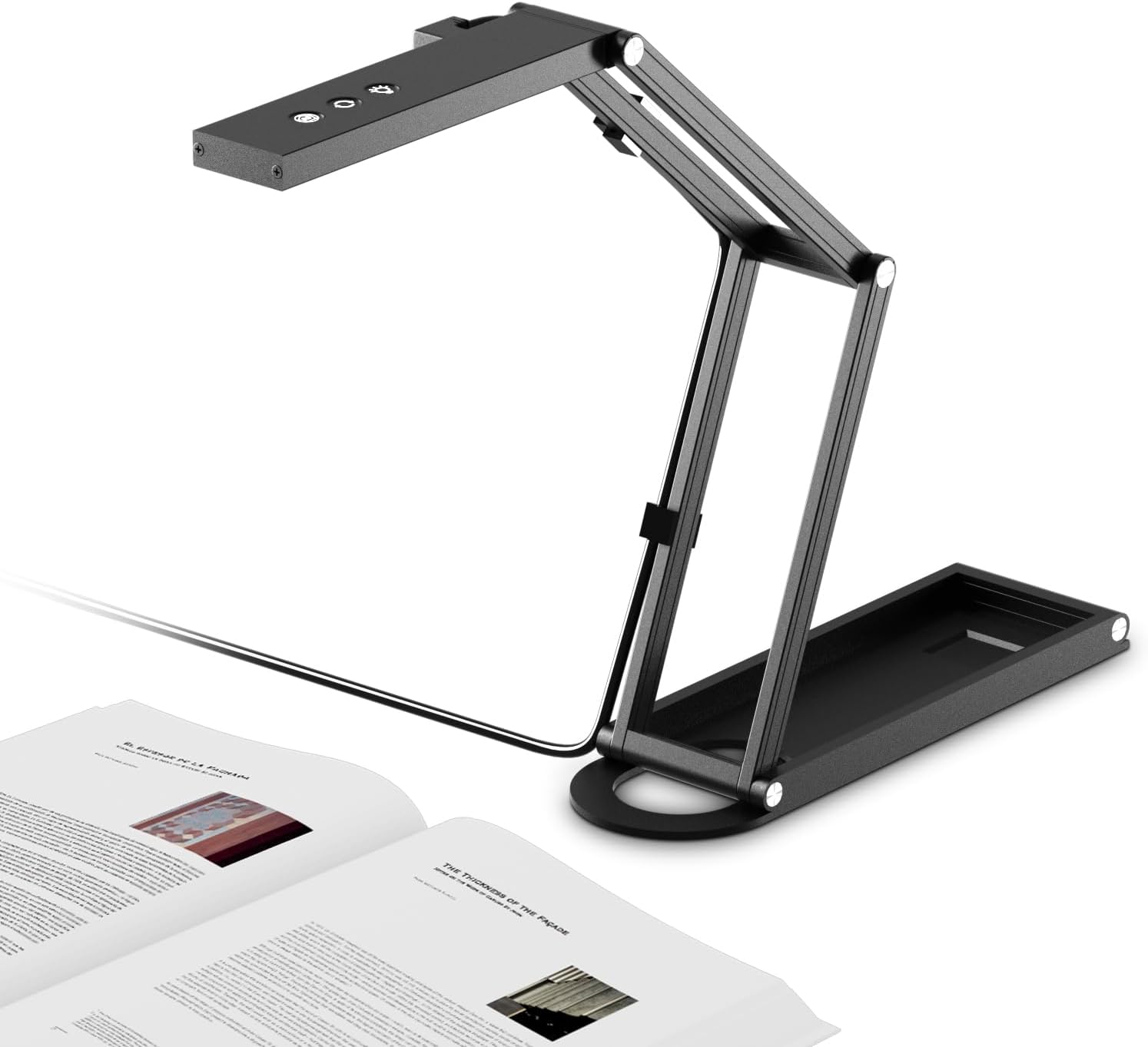
NetumScan 4K USB Book Document Camera & Webcam with Built-in Microphone & AutoFocus, USB Visualiser A3-Size, Built-in 3-Level LED, Foldable for Web Distance Learning&Teaching Compatible MacOS&Windows
3.80
지난 32시간 동안 판매됨 28
$ 109.99
$ 120.00
-9.10%
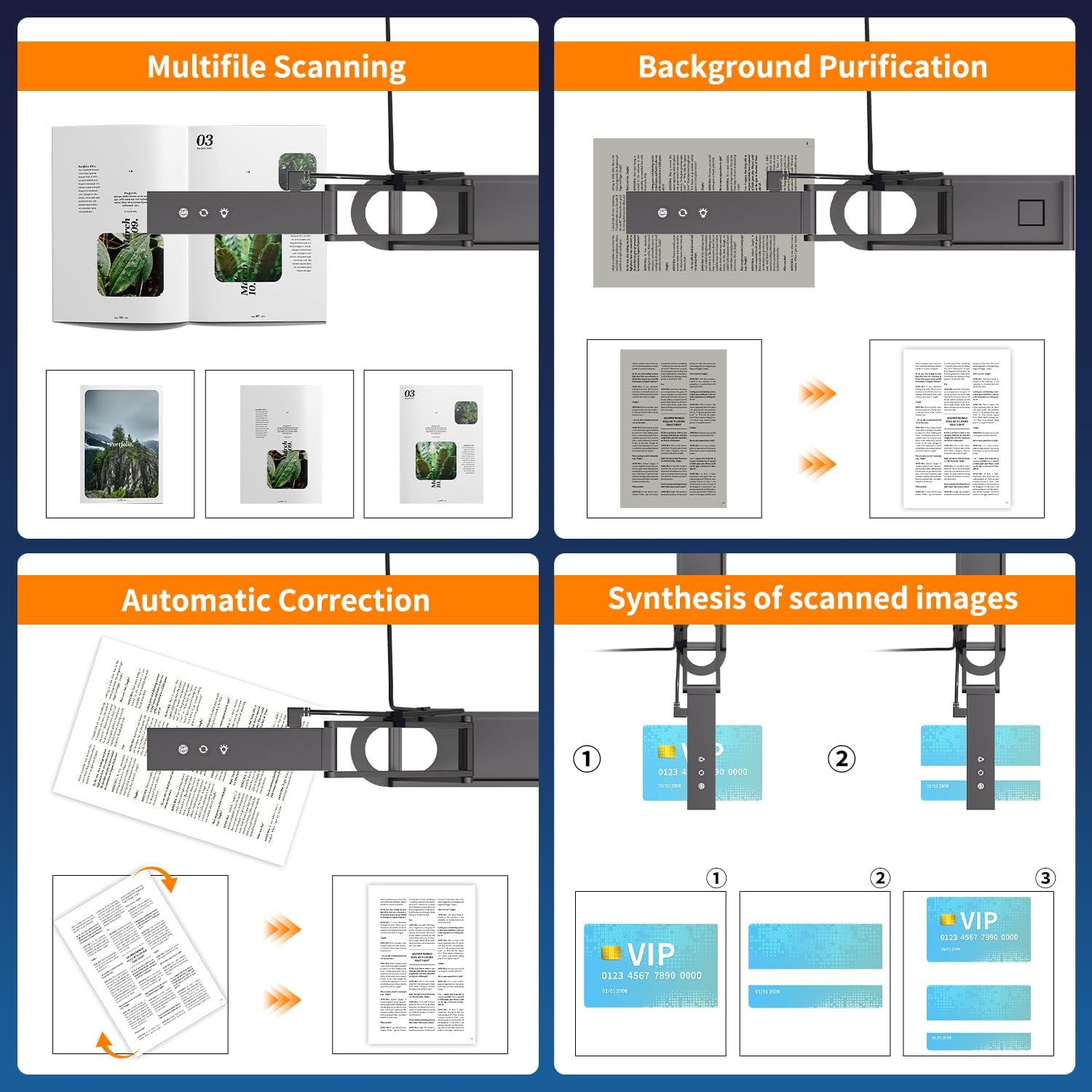
First, the NetumScan Pro scanning software is downloadable from the manufacturer's site. At the time of this review, the file is called "NetumScan Pro Install version 2.2.554". Once on the main page, click "Support" then "Document Camera Setup Guide." Download and install. It's easy, and products have been distributing software and drivers this way for almost 30 years. Don't be dissuaded on this point by other reviews.The software is the most impressive part of the scanner combo. You can scan a book automatically two pages simultaneously, turning pages every few seconds as the camera automatically shoots. The OCR is unbelievably good and effortlessly handles the pages' curvature. Separated pages seamlessly reflow together if you use the correct format (see below), and scanning an entire book takes a tiny fraction of time compared to what a flatbed scanner could do.As your source material adds complications, it can trip up the OCR. Side text boxes can be hit-or-miss, and while simple graphics get isolated effectively, increasing complexity will reveal the program's limits. But it's a dream come true for straight text and simple graphics. The program also catches italics, bold, and inset paragraphs in my tests.To use the OCR, select "Document" at the top as the scan type, then on the right panel, choose Text, Excel, Word, PDF(Text), or PDF(Search) as the document type. These are the OCR types, and the OCR language selection option will ONLY appear after selecting from among these formats. The OCR is exceptional, and the UI should highlight it more effectively!Some reviewers moan about the lack of PDF text support, but this is false. The format called "PDF(Text)" actually photographs a book and then converts it to straight text right on top of the photo of whatever paper holds the original text. I've never seen anything like it, and it's impressive. However, I don't use PDF because I want reflow capability for eBook support, which PDF can't achieve. For this reason, if you wish to convert a book to an eBook, you're better off scanning to Word format, which does reflow, and then you may use Calibre or some other utility to convert to ePub from there. Scanning directly to ePub would be a nice feature to see in the future.I verified the Image Size setting of 4160 x 3104 actually takes pictures at that resolution. That multiplies to nearly 13 megapixels, so the reviewer claiming it only takes only 8-megapixel scans is mistaken.Features worthy of improvement:I took two photos to test the scanner, and then the autofocus permanently died on the camera. I exchanged the scanner through Amazon, and the replacement has been holding up. Another review complained of blurry photos, so I suspect the autofocus is a potential point of failure.NetumScan Pro automatically recognizes the camera once plugged in, but there is a bug in that the OCR features will only appear if you plug in the scanner BEFORE you start the program. It's a minor annoyance that hopefully gets fixed.It would have been a better product if it had a power button. I'm uncomfortable leaving a camera running 24/7, so the only way to power it down is to unplug the USB cable.The head folds down for compact storage. However, this mechanism releases with a ton of force, and if you aren't careful, the top will snap down hard. Shocks like this aren't ideal for the camera, so take great care when folding it in.Given the pros and cons, I am very impressed with what it can do, and despite the quirks I mentioned, it gets a cautious five stars.
15 현재 누군가가 웹사이트를 탐색 중입니다.
수량:
-
+
예상 배송 시간: 12~26일(국제), 3~6일(미국)
구매일로부터 45일 이내에 반품이 가능합니다. 관세 및 세금은 환불되지 않습니다.
-
ASIN:
B0CGRJY95S
-
BEST_SELLERS_RANK:
#117,676 in Office Products (See Top 100 in Office Products) #21 in Document Cameras
-
CUSTOMER_REVIEWS:
3.8 3.8 out of 5 stars (81) 3.8 out of 5 stars
-
DATE_FIRST_AVAILABLE:
February 20, 2025
-
ITEM_MODEL_NUMBER:
SD-1300
-
ITEM_WEIGHT:
14.4 ounces
-
MANUFACTURER:
NetumScan
-
PACKAGE_DIMENSIONS:
9.45 x 4.33 x 1.18 inches
안전한 결제를 보장하세요






제품 상세 정보
Intelligent scanning and seamless connection make work and life easier.
NetumScan focuses on intelligent recognition technology and provides you with professional barcode scanners, printers, book camera and pet chip scanners to meet the dual needs of business operations and family life.
In the digital age, efficient data management makes work easier and life more secure. Whether it is retail cashier, logistics management, or pet health tracking, NetumScan can help you with accurate and stable performance.
Industrial Grade 1D 2D QRBarcode Reader.USB Port Suitable for Self-Service Terminals and Factory Assembly Lines
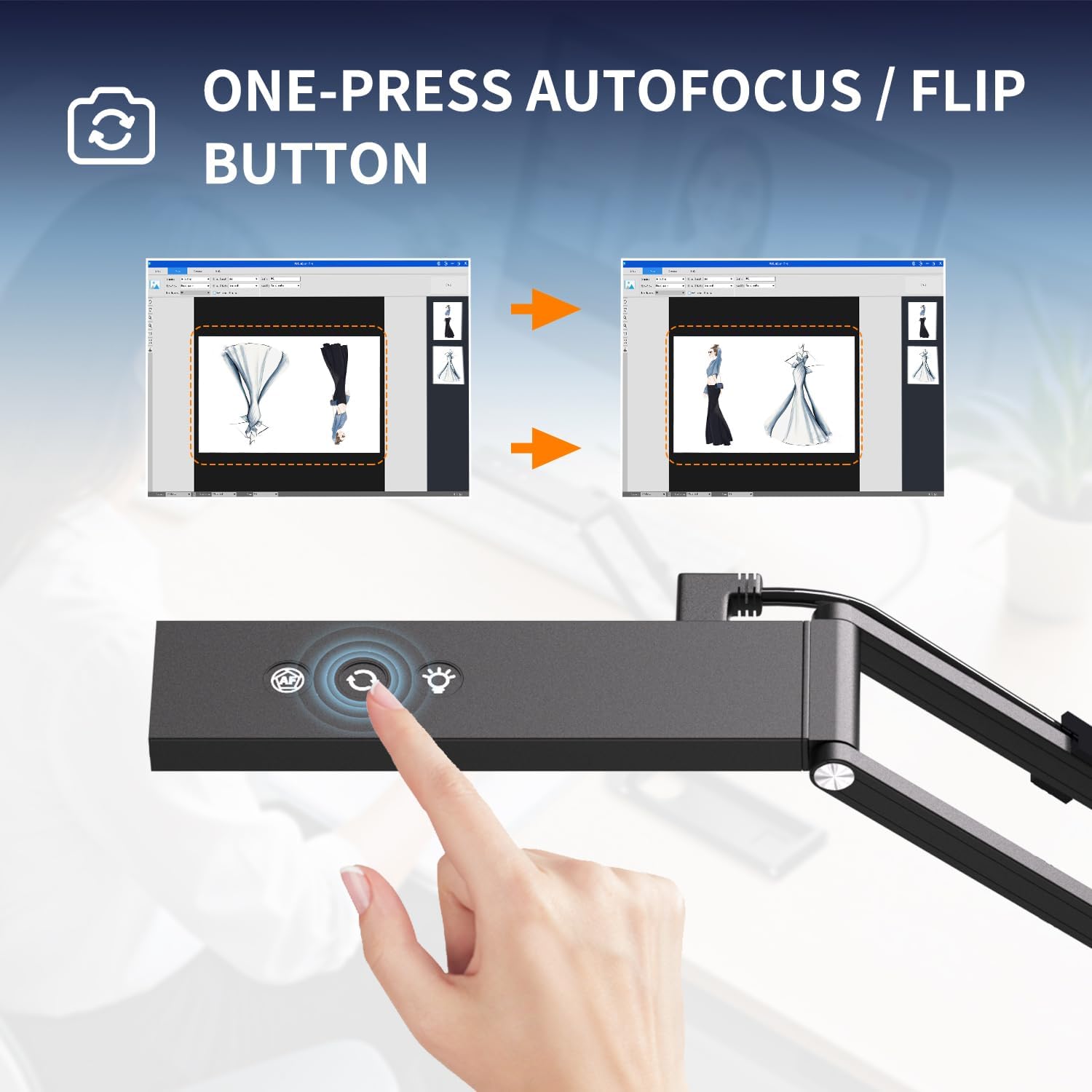
Smart Touch: Supports touch-to-focus, touch-to-rotate image, and three-level LED fill light adjustment, ensuring clear and bright images even in low-light environments.
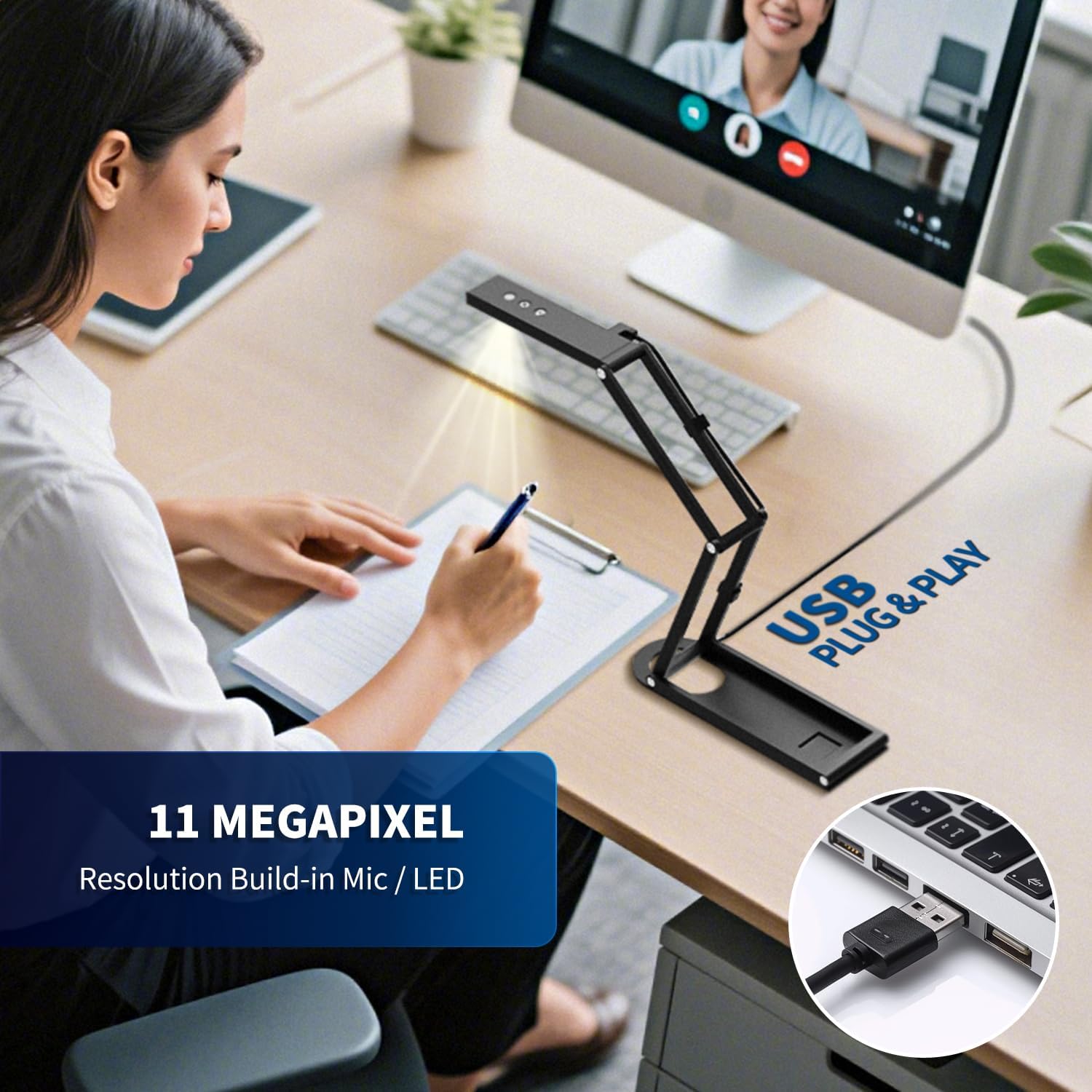
Minimalistic Connection: USB plug-and-play compatible with Windows, Mac, and Linux systems, and a Type-C port for power and data transmission.
High-Performance Output: Supports smooth 1080P@60fps video and 11-megapixel HD photos with a dynamic range of up to 70dB, ensuring rich, undistorted images.
Built-in AI environmental noise reduction algorithm: effectively filters keyboard sounds and environmental noise, and highlights human voices in conferences and teaching.
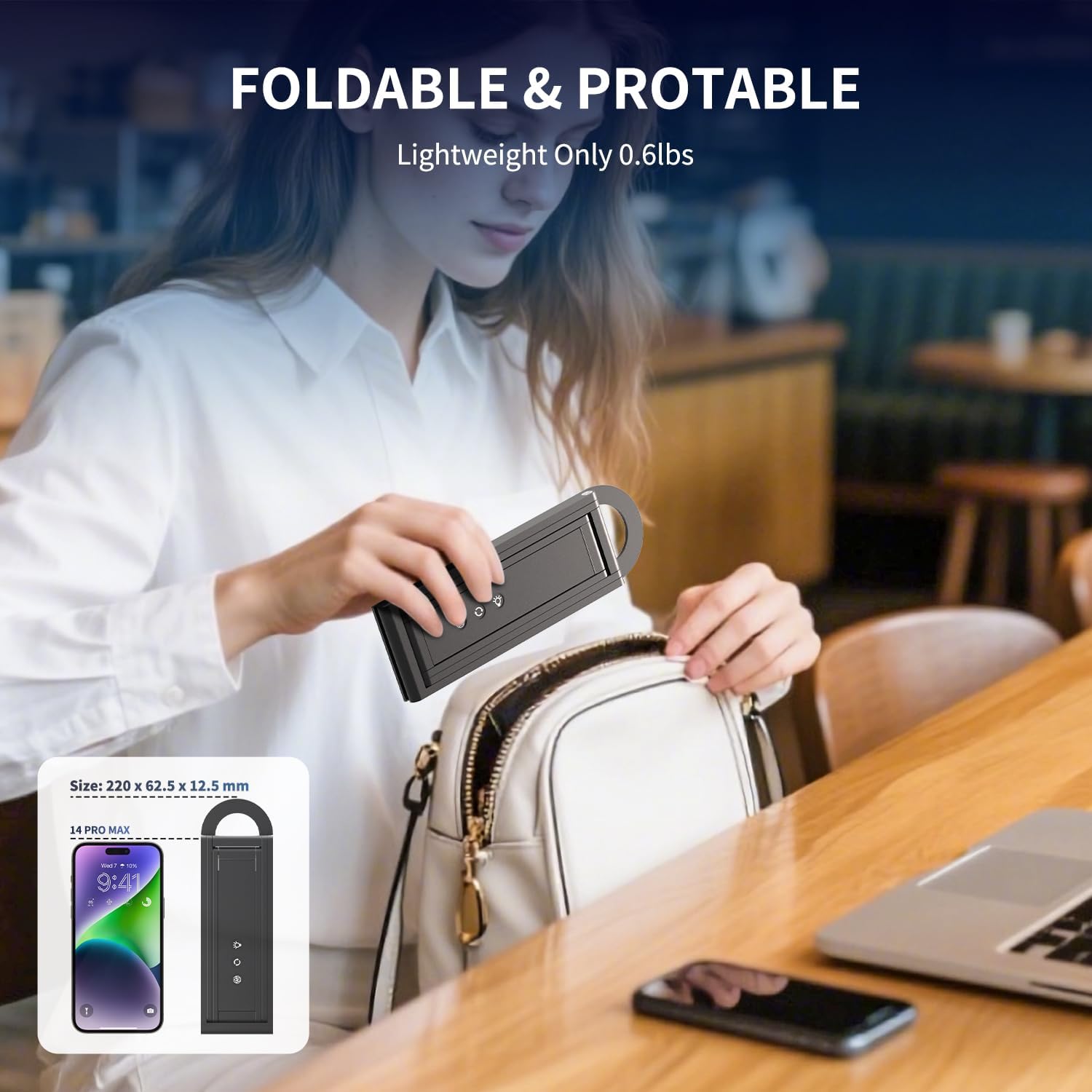
Lightweight Design, Versatile Application:
When folded, it measures only
. The multi-jointed metal stand fits easily into any backpack pocket, supports 360° rotation and pitch, and offers stable hovering without jitter. It meets the following requirements:
Online class presentations, exam annotation, and multi-angle photography of scientific experiments.
Scanning and archiving contracts, sharing A3/A4 drawings in online meetings, and identifying invoices.
Product still life photography, live craft tutorials, and digital archiving of artwork.
Package Contents: Folding Video Display Stand*1、Type-C Port*1、Mac Adapter*1、USB Flash Drive*1 (Contains Windows/Mac/Linux Software Installation Package, Electronic Operating Instructions, and Operating Environment Tools)
One-touch switching between document presentation and webcam mode allows for crisp, clear viewing of every detail, whether scanning full-size A3/A4 contracts or conducting high-definition video conferencing.
Supports high-definition visual presentation - every document is sharp and clear. With advanced image processing algorithms and high-speed transmission interface, a single click can instantly digitize an entire page of a document, significantly saving time.
고객 리뷰
3.80
(100 점수)
댓글 취소
댓글을 남겨주세요

배송 및 반품
우리가 당신을 보호하겠습니다
대부분 지역에서는 배송비를 한 번만 지불하시면 됩니다 (주문 및 배송 페이지를 확인해 주세요).
구매 후 14일 이내 무료 반품 가능 (단, 수명이 다한 제품, 맞춤 제작 상품, 마스크, 향수 및 에어로졸과 같이 위험하거나 인화성 물질이 포함된 일부 제품은 제외).
수입 관세 정보
복잡한 절차는 저희가 처리해 드리겠습니다. 카나리아 제도를 제외한 모든 EU 국가, 영국, 미국, 캐나다, 호주, 뉴질랜드, 푸에르토리코, 스위스, 싱가포르, 한국, 쿠웨이트, 멕시코, 카타르, 인도, 노르웨이, 사우디아라비아, 대만, 태국, UAE, 일본, 브라질, 맨섬, 산마리노, 콜롬비아, 칠레, 아르헨티나, 이집트, 레바논, 홍콩 특별행정구, 바레인, 터키로 배송되는 상품 가격에는 모든 수입 관세가 포함되어 있습니다. 표시된 가격이 최종 결제 금액입니다.
예상 배송 시간
특급 배송: 7-10일
해당 창고에서 배송되었습니다.
반품 정책
반품 정책
저희는 제품 품질에 자신 있습니다. 만약 구매하신 제품에 완전히 만족하지 못하신다면, 수령일로부터 30일 이내에 간편하게 반품하실 수 있도록 정책을 마련해 두었습니다.
간편한 교환 또는 환불
- 다른 사이즈, 색상 또는 스타일의 상품으로 교환하거나 전액 환불받을 수 있습니다.
- 반품되는 모든 상품은 착용하지 않은 상태여야 하며, 원래 포장 상태 그대로 모든 태그가 손상되지 않은 상태여야 합니다.
간단한 절차
- 온라인으로 반품을 신청하거나 고객 서비스 팀에 문의하여 도움을 받으실 수 있습니다.
- 물품을 제대로 포장해 주시고, 원래의 포장 목록도 함께 넣어주세요.
- 반품하실 상품을 보내주실 때에는 저희가 제공해 드린 선불 배송 라벨을 사용해 주시기 바랍니다.
- 환불 요청 접수 즉시 처리해 드리겠습니다.
반품과 관련하여 궁금한 점이나 우려 사항이 있으시면 언제든지 저희 전문 고객 서비스 팀에 문의해 주세요. 고객 만족은 저희의 최우선 목표입니다.