고객 서비스

판매자들은 가입하면 더 많은 혜택을 누릴 수 있습니다.

모든 주문 무료 배송.

미니

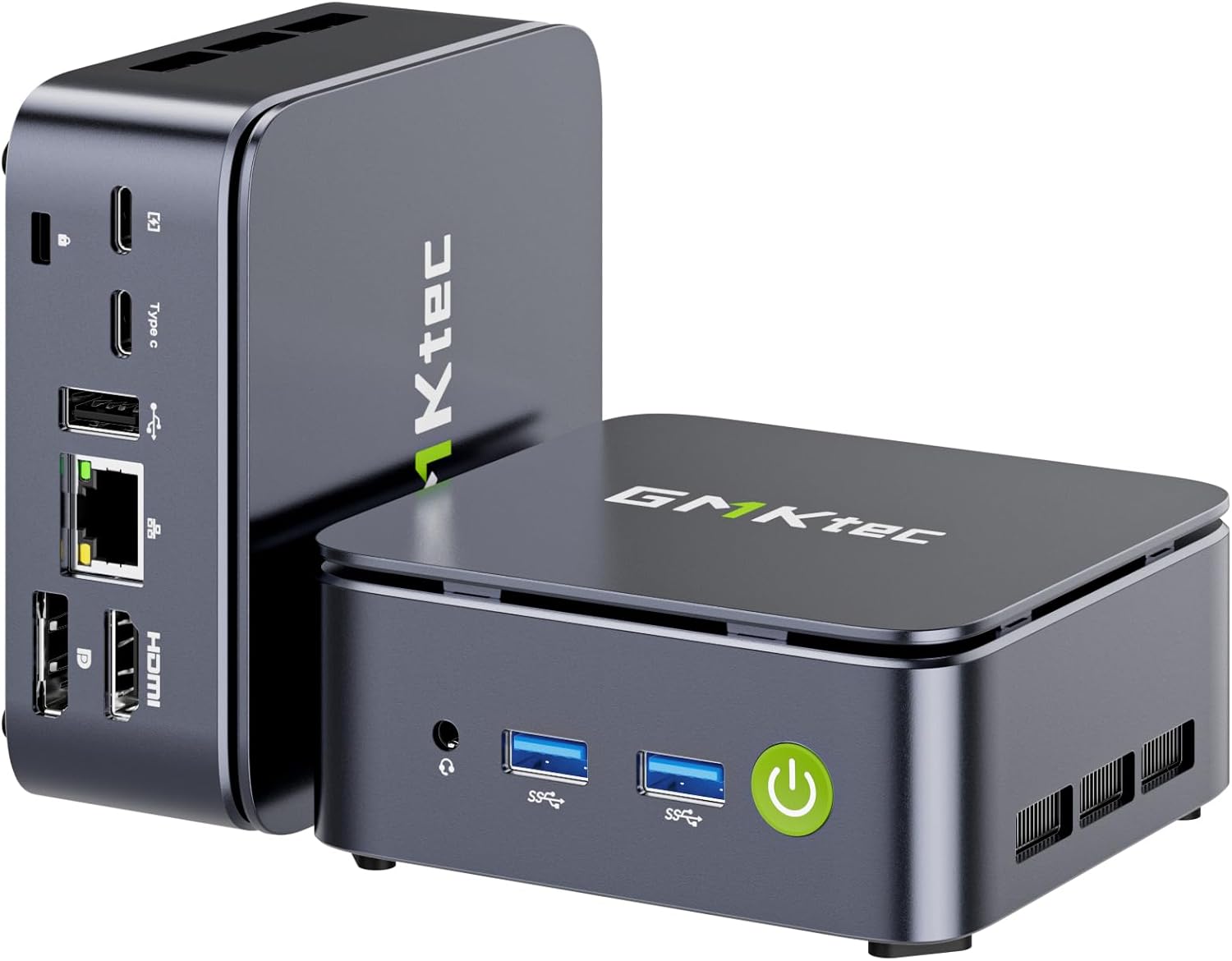
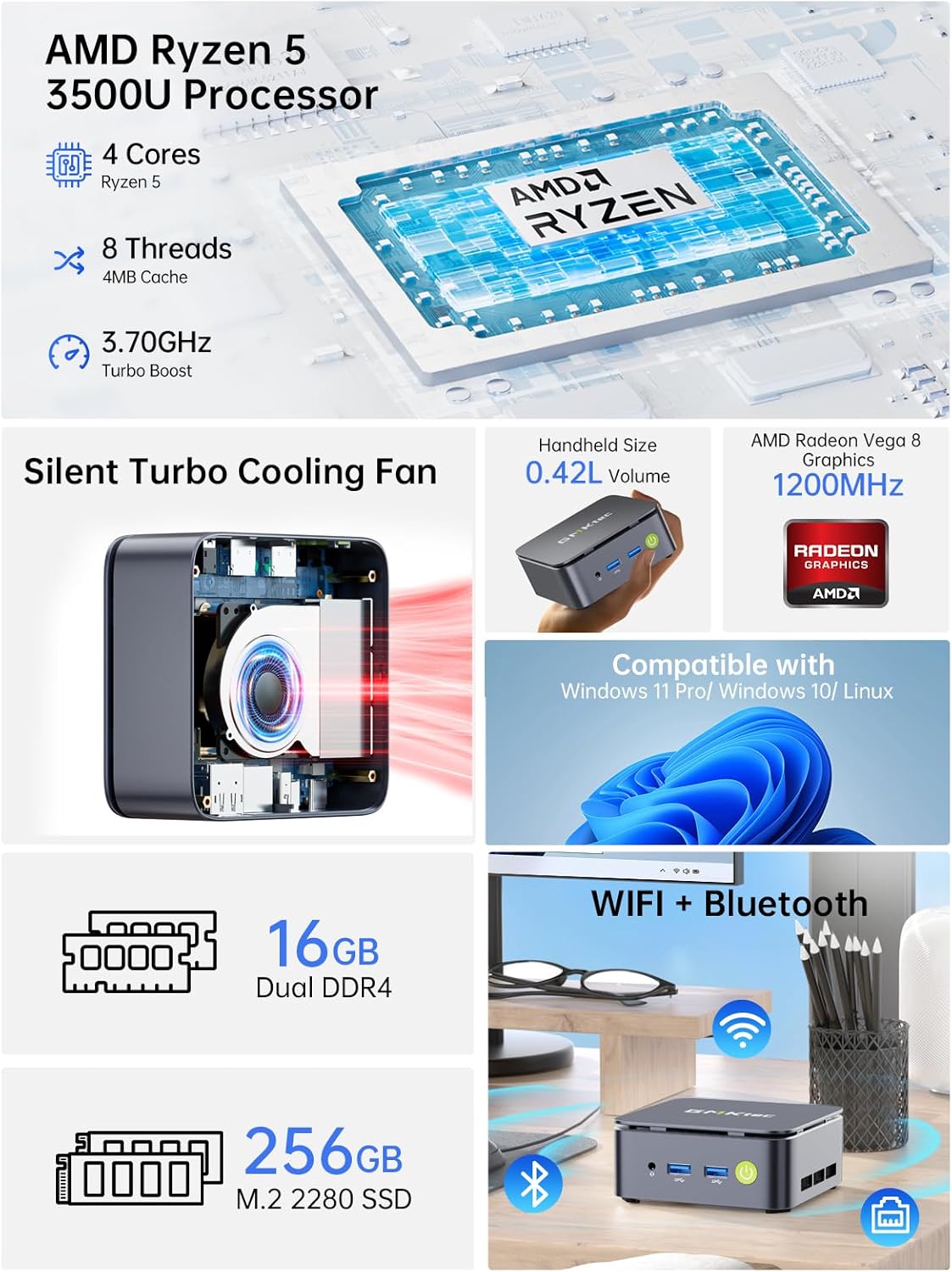
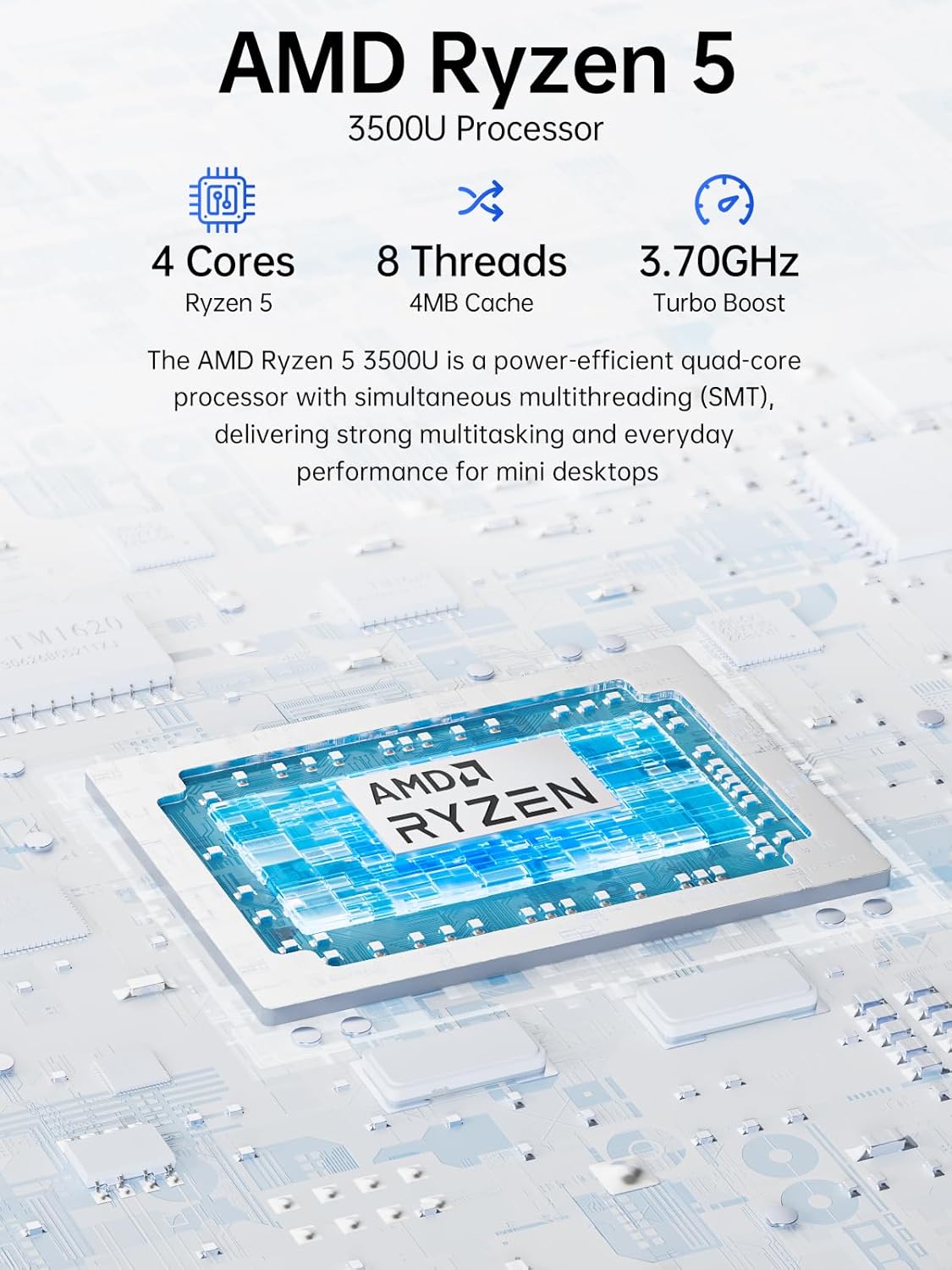
GMKtec Mini PC Ryzen 5 3500U (Beats N150) 16GB 256GB SSD 2.5GbE NIC LAN Office Home Desktop Computers, Triple 4K Display, WiFi, BT, USB-C, DP Nucbox G10 Black

4.40

지난 32시간 동안 판매됨 27

$ 224.99
$ 244.00
-8.45%

The Intel N97 Mini PC by GMKtek is a powerful little Windows workstation that is small enough to fit in the palm of your hand. See photo next to Rubix cube for reference, it's TINY. I tested it as a Windows workstation first and found it to be highly capable for day-to-day computing - content creation, web browsing, a bit of light gaming. It comes loaded with Windows 11, Microsoft Office, and CoPilot - everything you need to be off to the races. But what really sets it apart to me is the power in small form-factor - this is now my goto Raspberry Pi alternative for home automation and open source projects. Proxmox, Plex, AdGuard Home, Docker, Home Assistant - no sweat! My home Lab has to pass the wife test so no rack servers, noisy fans, or heat. It has to be small and quiet, and the N97 fits the bill.Love:- The power and capabilities for the small size.- Oh did I mention, it's a great price too!- Plenty of RAM and SSD storage- Dual HDMINot dealbreakers, but room to improve:- No USB C ports for peripherals. The only one is designated for the power supply. Come on fellas give me a USB C on the front and one on the back.- It's not fanless. The fan is quiet, but when I stress tested it, the fan does become audible. Honestly not an issue if it's in an enclosure (even a media cabinet), but be aware it has potential to be noticeable in quiet environments.Final verdict - great for day to day, fantastic for home projects.

21 현재 누군가가 웹사이트를 탐색 중입니다.

Color
G10 R5 3500U Black G10 R5 3500U Silver
Size
Ryzen 5 3500U 16GB DDR4+256GB
수량:
- +

예상 배송 시간: 12~26일(국제), 3~6일(미국)

구매일로부터 45일 이내에 반품이 가능합니다. 관세 및 세금은 환불되지 않습니다.

  • ASIN:

    B0FRMX92ZG

  • BEST_SELLERS_RANK:

    #2,627 in Computers & Accessories (See Top 100 in Computers & Accessories) #103 in Mini Computers

  • BRAND:

    GMKtec

  • CARD_DESCRIPTION:

    Integrated

  • COLOR:

    G10 R5 3500U Black

  • COMPUTER_MEMORY_TYPE:

    DDR4 SDRAM

  • CUSTOMER_REVIEWS:

    4.4 4.4 out of 5 stars (151) 4.4 out of 5 stars

  • DATE_FIRST_AVAILABLE:

    September 18, 2025

  • FLASH_MEMORY_SIZE:

    16 GB

  • GRAPHICS_CARD_RAM_SIZE:

    16 GB

  • GRAPHICS_COPROCESSOR:

    AMD Radeon Vega 8 Graphics 1200 MHz

  • HARD_DRIVE:

    256 M.2 2280 NVME SSD Dual Slot Max. 16TB

  • HARD_DRIVE_INTERFACE:

    PCIE x 16

  • HARD_DRIVE_ROTATIONAL_SPEED:

    7200.0

  • ITEM_MODEL_NUMBER:

    G10

  • ITEM_WEIGHT:

    2.07 pounds

  • MAX_SCREEN_RESOLUTION:

    5120 x 2880 Pixels

  • MEMORY_SPEED:

    2400 MHz

  • NUMBER_OF_PROCESSORS:

    4

  • NUMBER_OF_USB_3_0_PORTS:

    4

  • OPERATING_SYSTEM:

    11 Pro

  • PACKAGE_DIMENSIONS:

    6.42 x 6.23 x 4.14 inches

  • PROCESSOR:

    3.7 GHz amd_r_series

  • PROCESSOR_BRAND:

    AMD

  • RAM:

    DDR4

  • SCREEN_RESOLUTION:

    4096 x 2304

  • SERIES:

    G10

  • WIRELESS_TYPE:

    2.4 GHz Radio Frequency, 5 GHz Radio Frequency, 5.8 GHz Radio Frequency, 802.11ax, Bluetooth

안전한 결제를 보장하세요

제품 상세 정보

고객 리뷰
4.40

(100 점수)

5
7
4
4
3
3
2
11
1
75
댓글 취소
댓글을 남겨주세요

22 논평

Perfect! Fast, reliable, neat, 100% satisfied.
2026-01-21    -Mohamed F. Taher

An amazing little mini PC that is fast and reliable and very neat, comes exactly as the description with exact specifications.

I am very pleased with this tiny powerhouse. I have purchased a ton of mini pc for 2 main reasons and this has stomped the competition in regards to performance and stability.My main purpose was to setup a Debian minimal standalone kodi box to run as a Kodi media center. And this performs beautifully no lag whatsoever. So if your looking for a solid performance mini pc look no further I only have one con and as a dedicated media center it does not have onboard HDMI-CEC CONTROL. However I knew that before my purchase so no fault of manufacture so I’m using usb flirt adapter so I can scroll media and navigate with my tv remote. I’m running debian 12.04 minimal setup without a desktop environment I have it setup from power on to Kodi screen and this is exreamly fast from bios post to Kodi. It’s faster than an actual android Kodi box. Now with all that said GMKTEK kudos for this baby power house. I can not speak for windows performance and stability because I don’t use windows. I would definitely recommend for a Linux box hands down.Boot live Linux and wipe windows partitions and format drive to ext4Boot Debian 12.04 Bookworm minimal install main system when tasksel loads uncheck gnome and desktop environment after rebootSwitch to root by issuing su - not su root. Then give your user sudo rights. By installing sudo from repository by issuing apt update then apt install sudo. Now that sudo is installed. You can add your user to sudo group by issuing usermod -aG sudo kodi now kodi is my user I created during install so if your user is not Kodi change accordingly.Next we install some basic software needed to run Kodi. From this point you can switch back to your user in my case by issuing su Kodi. Now to install the final software. sudo apt install xorg-xserver xinit dbus kodi kodi-repository-kodi -y. Wait for packages to install. Once installed we need one more command to give us the ability to use mouse and keyboard in our Kodi environment. So issue sudo usermod -aG input kodi. Remember if your user is not kodi change kodi to your user. At this point Kodi is ready to load so simply issue kodi and kodi will start. If you want kodi to auto start on boot there is a bit more work but it is quite easy to setup. There are many ways of doing this some more complex then others due to security but if your not worried about security and just want simple then it’s as easy as setting up a crontab -e and adding @reboot kodi-standalone however if you want full use of reboot or shutdown from Kodi you need to auto boot with root instead of your user. Again easy to accomplish by editing getty@.service google for how to do that it involves changing one line of code and once your happy with your setup make sure to create a backup or full image I recommend rdrive image paid version or free rescuezill gui version of clonezilla. Enjoy

Görseldeki Kapak
2026-01-30    -Hakkı

Ürün gayet güzel ve kaliteli, beklentileri karşılıyor. Ancak tanıtım resimlerinde gösterilen kırmızı kapak kutu içerisinden çıkmadı.

I am very pleased with this tiny powerhouse. I have purchased a ton of mini pc for 2 main reasons and this has stomped the competition in regards to performance and stability.My main purpose was to setup a Debian minimal standalone kodi box to run as a Kodi media center. And this performs beautifully no lag whatsoever. So if your looking for a solid performance mini pc look no further I only have one con and as a dedicated media center it does not have onboard HDMI-CEC CONTROL. However I knew that before my purchase so no fault of manufacture so I’m using usb flirt adapter so I can scroll media and navigate with my tv remote. I’m running debian 12.04 minimal setup without a desktop environment I have it setup from power on to Kodi screen and this is exreamly fast from bios post to Kodi. It’s faster than an actual android Kodi box. Now with all that said GMKTEK kudos for this baby power house. I can not speak for windows performance and stability because I don’t use windows. I would definitely recommend for a Linux box hands down.Boot live Linux and wipe windows partitions and format drive to ext4Boot Debian 12.04 Bookworm minimal install main system when tasksel loads uncheck gnome and desktop environment after rebootSwitch to root by issuing su - not su root. Then give your user sudo rights. By installing sudo from repository by issuing apt update then apt install sudo. Now that sudo is installed. You can add your user to sudo group by issuing usermod -aG sudo kodi now kodi is my user I created during install so if your user is not Kodi change accordingly.Next we install some basic software needed to run Kodi. From this point you can switch back to your user in my case by issuing su Kodi. Now to install the final software. sudo apt install xorg-xserver xinit dbus kodi kodi-repository-kodi -y. Wait for packages to install. Once installed we need one more command to give us the ability to use mouse and keyboard in our Kodi environment. So issue sudo usermod -aG input kodi. Remember if your user is not kodi change kodi to your user. At this point Kodi is ready to load so simply issue kodi and kodi will start. If you want kodi to auto start on boot there is a bit more work but it is quite easy to setup. There are many ways of doing this some more complex then others due to security but if your not worried about security and just want simple then it’s as easy as setting up a crontab -e and adding @reboot kodi-standalone however if you want full use of reboot or shutdown from Kodi you need to auto boot with root instead of your user. Again easy to accomplish by editing getty@.service google for how to do that it involves changing one line of code and once your happy with your setup make sure to create a backup or full image I recommend rdrive image paid version or free rescuezill gui version of clonezilla. Enjoy

5.0 out of 5 stars Great value
2025-12-31    -flyguy

Bought this to use as work at home computer for my wife. Didn't expect much from this little computer. Was I wrong! It's running 2x27 inch monitors, no problem. Working with wifi connection and the blue tooth works fine! She uses it 8 hours a day. Comes with windows 11 pro...very easy to set up.Amazing operation for a tiny computer!

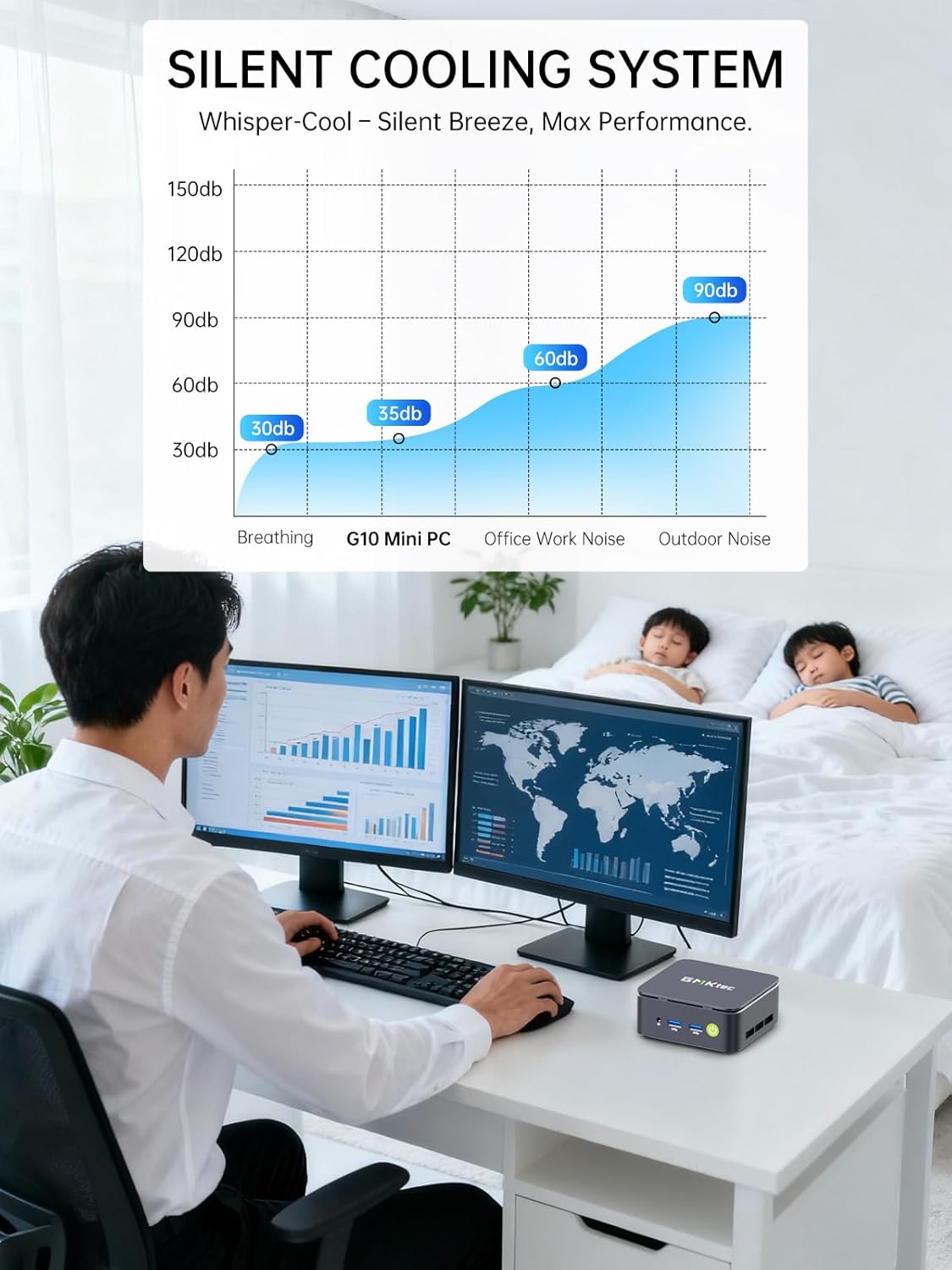
Hard to believe this little thing, at the price available, is such a good computer! I've installed this as my home theater computer, use it for streaming EVERYTHING! Doesn't skip a beat. Great picture (which, I know, is also attributable to the TV). Fast, quiet (virtually mute).

The Intel N97 Mini PC by GMKtek is a powerful little Windows workstation that is small enough to fit in the palm of your hand. See photo next to Rubix cube for reference, it's TINY. I tested it as a Windows workstation first and found it to be highly capable for day-to-day computing - content creation, web browsing, a bit of light gaming. It comes loaded with Windows 11, Microsoft Office, and CoPilot - everything you need to be off to the races. But what really sets it apart to me is the power in small form-factor - this is now my goto Raspberry Pi alternative for home automation and open source projects. Proxmox, Plex, AdGuard Home, Docker, Home Assistant - no sweat! My home Lab has to pass the wife test so no rack servers, noisy fans, or heat. It has to be small and quiet, and the N97 fits the bill.Love:- The power and capabilities for the small size.- Oh did I mention, it's a great price too!- Plenty of RAM and SSD storage- Dual HDMINot dealbreakers, but room to improve:- No USB C ports for peripherals. The only one is designated for the power supply. Come on fellas give me a USB C on the front and one on the back.- It's not fanless. The fan is quiet, but when I stress tested it, the fan does become audible. Honestly not an issue if it's in an enclosure (even a media cabinet), but be aware it has potential to be noticeable in quiet environments.Final verdict - great for day to day, fantastic for home projects.

Compact, Quiet, and Perfect for TV Use!
2026-01-20    -Henry

I’ve been using the GMKtec Mini PC with my wall-mounted TV, and it’s been fantastic. It’s fast and handles web browsing, streaming, and multitasking effortlessly. A pleasant surprise was that the pre-installed Windows 11 Pro didn’t require a Microsoft account during setup, which made getting started incredibly easy.The PC runs quietly, which is great for a living room setup, and its performance has been smooth for everyday tasks and light gaming. While it’s not designed for heavy gaming or video editing, it’s perfect for streaming and general use. Overall, it’s a reliable and efficient mini PC that works wonderfully as a media hub!

Görseldeki Kapak
2026-01-19    -Hakkı

Ürün gayet güzel ve kaliteli, beklentileri karşılıyor. Ancak tanıtım resimlerinde gösterilen kırmızı kapak kutu içerisinden çıkmadı.

5.0 out of 5 stars Great value
2025-12-22    -flyguy

Bought this to use as work at home computer for my wife. Didn't expect much from this little computer. Was I wrong! It's running 2x27 inch monitors, no problem. Working with wifi connection and the blue tooth works fine! She uses it 8 hours a day. Comes with windows 11 pro...very easy to set up.Amazing operation for a tiny computer!

댓글을 남겨주세요:

댓글 제목
댓글 내용
배송 및 반품
우리가 당신을 보호하겠습니다

대부분 지역에서는 배송비를 한 번만 지불하시면 됩니다 (주문 및 배송 페이지를 확인해 주세요).

구매 후 14일 이내 무료 반품 가능 (단, 수명이 다한 제품, 맞춤 제작 상품, 마스크, 향수 및 에어로졸과 같이 위험하거나 인화성 물질이 포함된 일부 제품은 제외).

수입 관세 정보

복잡한 절차는 저희가 처리해 드리겠습니다. 카나리아 제도를 제외한 모든 EU 국가, 영국, 미국, 캐나다, 호주, 뉴질랜드, 푸에르토리코, 스위스, 싱가포르, 한국, 쿠웨이트, 멕시코, 카타르, 인도, 노르웨이, 사우디아라비아, 대만, 태국, UAE, 일본, 브라질, 맨섬, 산마리노, 콜롬비아, 칠레, 아르헨티나, 이집트, 레바논, 홍콩 특별행정구, 바레인, 터키로 배송되는 상품 가격에는 모든 수입 관세가 포함되어 있습니다. 표시된 가격이 최종 결제 금액입니다.

예상 배송 시간

특급 배송: 7-10일

해당 창고에서 배송되었습니다.

더 자세한 정보가 필요하신가요?
반품 정책
반품 정책

저희는 제품 품질에 자신 있습니다. 만약 구매하신 제품에 완전히 만족하지 못하신다면, 수령일로부터 30일 이내에 간편하게 반품하실 수 있도록 정책을 마련해 두었습니다.

간편한 교환 또는 환불
  • 다른 사이즈, 색상 또는 스타일의 상품으로 교환하거나 전액 환불받을 수 있습니다.
  • 반품되는 모든 상품은 착용하지 않은 상태여야 하며, 원래 포장 상태 그대로 모든 태그가 손상되지 않은 상태여야 합니다.
간단한 절차
  • 온라인으로 반품을 신청하거나 고객 서비스 팀에 문의하여 도움을 받으실 수 있습니다.
  • 물품을 제대로 포장해 주시고, 원래의 포장 목록도 함께 넣어주세요.
  • 반품하실 상품을 보내주실 때에는 저희가 제공해 드린 선불 배송 라벨을 사용해 주시기 바랍니다.
  • 환불 요청 접수 즉시 처리해 드리겠습니다.

반품과 관련하여 궁금한 점이나 우려 사항이 있으시면 언제든지 저희 전문 고객 서비스 팀에 문의해 주세요. 고객 만족은 저희의 최우선 목표입니다.

범주
차이
제품
모든 제품 지우기