

하드디스크
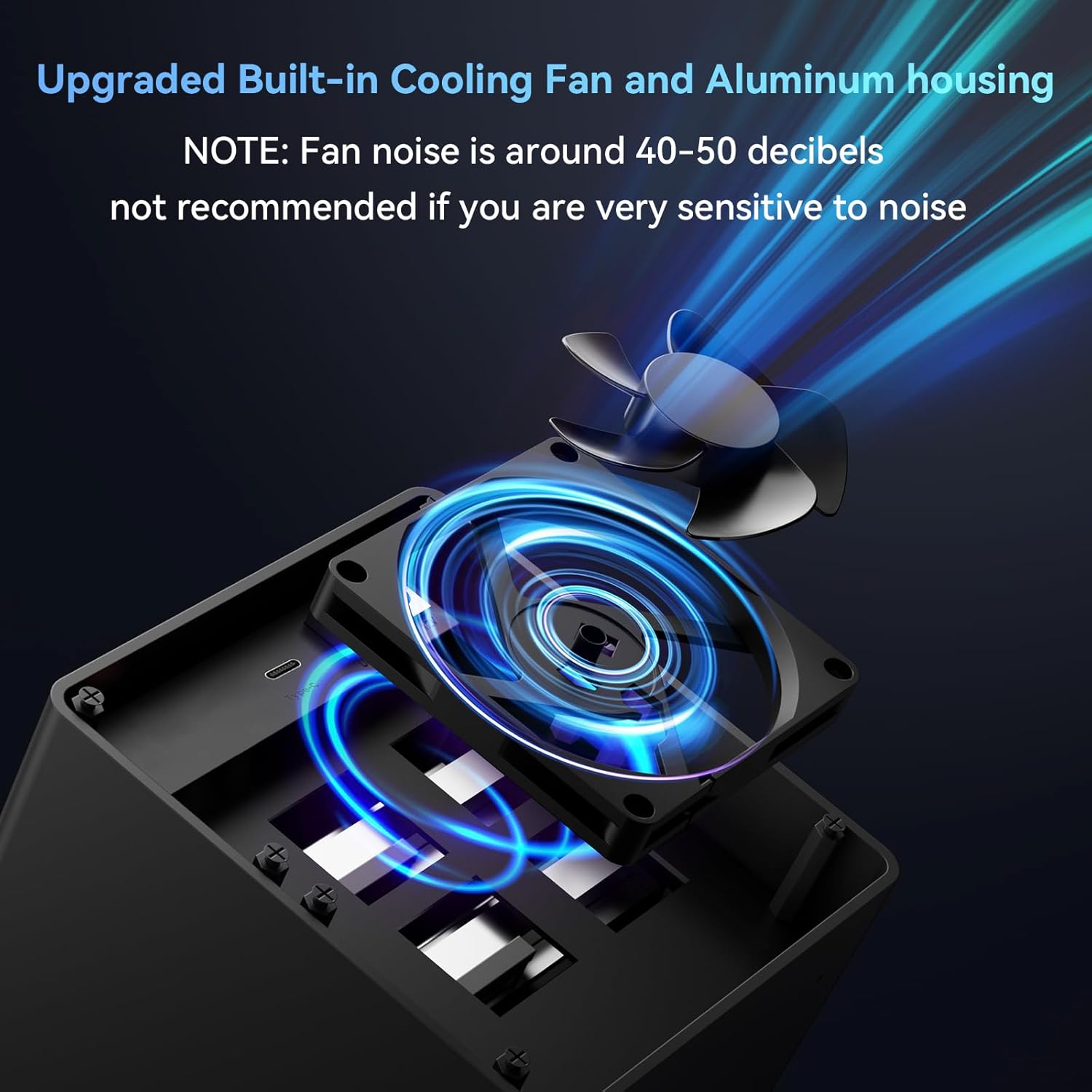
Aluminum 4 Bay 10Gbps Hard Drive Enclosure with Cooling Fan for 2.5“/3.5" SATA HDD/SSD with USB A/C 3.2 Gen 2, Support Hot Swappable,Tool-Free HDD Enclosure , DAS(NO RAID/NAS)
4.00
지난 32시간 동안 판매됨 20
$ 139.99
$ 147.00
-5.01%
I admittedly haven't had this DAS for long (at the time of writing this review), but I will keep this review in mind and edit it should any of the below change.I was running Ubuntu Server 24.04 with Frigate (Linux-based NVR software) at home, but as I added cameras over time, the old server was a little too weak. I moved the Ubuntu/Frigate install to a higher powered micro tower which solved the first set of problems, but of course I had no room for a 3.5" HDD for the video storage in the replacement system, which is where the Cenmate 2 bay unit comes into the picture.I have a single 6TB drive in it. It's USB'd right into my micro tower. Ubuntu mounts it via UUID on startup, and Frigate takes over recording footage to it without issue. So far, it's a very boring unit - which is exactly why I like it.I was concerned about throughput speeds, so for kicks I generated a bogus 10 GB file and transferred it from the onboard NVME SSD in the micro tower to the WD Purple within the Cenmate DAS. It sustained 170 MB/s transfer. According to random searches online, that WD Purple is expected to handle about 180-200 MB/s write speed, so seeing 170 MB/s sustained write made me pretty happy. I should note, I am not using the included USB cable. I read a few reviews that suggested the included USB cable is problematic for some folks, so I opted to use my own existing USB A/USB C cable from the get-go.Another concern I had was the behavior of the unit in the event that the power switch is left "on" but power is lost and then restored, as it's critical for my particular setup that the DAS simply always be on if power is available. I decided to test this right out of the gate, so once I unboxed the DAS, I put my HDD in it, flipped the power switch on, and then after that I plugged it into the wall outlet for the very first time. It lit up and I could feel the drive motor spinning up. I tested this in total 3-4 times, and each time it simply fired up the drive since the switch was set to "on" already. While this may seem like a "duh" thing, some different units I compared contained some reviews that suggested even if they had an explicit on/off toggle (like this Cenmate does), if power is lost, and then restored, some of these other units reportedly still required turning the switch off and then back on. This didn't seem to be the case with the Cenmate, which is great as this would have been an instant deal breaker where I would have returned it. In my setup, it's a requirement that if power is lost and then restored, that the DAS kick on automatically since the NVR micro tower is also simultaneously booting up which would be expecting the storage drive to be present to begin recording feeds. It was a relief to see that the Cenmate behaved as I hoped it would with auto-power-on after power is restored.I can't comment on using two drives in the unit as I haven't had a need to yet, but with a single drive it does the job well so far. It's simple, but I needed simple as well as predictability. Given I have an available bay open, it is tempting to pick up another matching HDD and doing some sort of Linux LVM group to span the two drives for more CCTV storage, but that's a project for another day.No issues with this relating to Linux. My Ubuntu Server install simply saw the drive when I ran "blkid", I added it as an automatic mount point, rebooted, and there it was - ready to be used.The jury is still out on long term reliability. For now, I rigged up a script on the Linux system using the Cenmate DAS along with my uptime monitor server which will check for the presence of the Cenmate/CCTV HDD every 5 minutes and email me if there's an issue. I'm hopeful this will reveal no surprises over time, but if it does, I'll update my review here. For now, it's serving my Linux/Frigate NVR micro tower just fine and ticks what few (but important) boxes I needed.
23 현재 누군가가 웹사이트를 탐색 중입니다.
수량:
-
+
예상 배송 시간: 12~26일(국제), 3~6일(미국)
구매일로부터 45일 이내에 반품이 가능합니다. 관세 및 세금은 환불되지 않습니다.
-
ASIN:
B0DD3GZSGJ
-
BEST_SELLERS_RANK:
#36 in Enclosures
-
COMPATIBLE_DEVICES:
Desktop, Laptop
-
CUSTOMER_REVIEWS:
4.0 4.0 out of 5 stars (617) 4.0 out of 5 stars
-
DATA_TRANSFER_RATE:
10 Gigabits Per Second
-
DATE_FIRST_AVAILABLE:
August 14, 2024
-
HARD_DISK_FORM_FACTOR:
3.5 Inches
-
ITEM_MODEL_NUMBER:
4 Bay
-
ITEM_WEIGHT:
3.01 pounds
-
MANUFACTURER:
cenmate
-
MATERIAL:
Aluminum
-
MAX_NUMBER_OF_SUPPORTED_DEVICES:
4
-
MEMORY_STORAGE_CAPACITY:
80 TB
-
PRODUCT_DIMENSIONS:
7.95 x 5.2 x 5.75 inches
안전한 결제를 보장하세요






제품 상세 정보
Every brand starts with a mission, cenmate's mission is to bring efficient computer accessories, make the computer more useful, make your work more easier.
Our company is an integrated set of design, development, production, sale and service company, we can make each product at a low cost and high quality, so provide a good value for you at the end.
Professional technical staff can figure product issues out quickly and provide efficient solution.
고객 리뷰
4.00
(100 점수)
댓글 취소
댓글을 남겨주세요

배송 및 반품
우리가 당신을 보호하겠습니다
대부분 지역에서는 배송비를 한 번만 지불하시면 됩니다 (주문 및 배송 페이지를 확인해 주세요).
구매 후 14일 이내 무료 반품 가능 (단, 수명이 다한 제품, 맞춤 제작 상품, 마스크, 향수 및 에어로졸과 같이 위험하거나 인화성 물질이 포함된 일부 제품은 제외).
수입 관세 정보
복잡한 절차는 저희가 처리해 드리겠습니다. 카나리아 제도를 제외한 모든 EU 국가, 영국, 미국, 캐나다, 호주, 뉴질랜드, 푸에르토리코, 스위스, 싱가포르, 한국, 쿠웨이트, 멕시코, 카타르, 인도, 노르웨이, 사우디아라비아, 대만, 태국, UAE, 일본, 브라질, 맨섬, 산마리노, 콜롬비아, 칠레, 아르헨티나, 이집트, 레바논, 홍콩 특별행정구, 바레인, 터키로 배송되는 상품 가격에는 모든 수입 관세가 포함되어 있습니다. 표시된 가격이 최종 결제 금액입니다.
예상 배송 시간
특급 배송: 7-10일
해당 창고에서 배송되었습니다.
반품 정책
반품 정책
저희는 제품 품질에 자신 있습니다. 만약 구매하신 제품에 완전히 만족하지 못하신다면, 수령일로부터 30일 이내에 간편하게 반품하실 수 있도록 정책을 마련해 두었습니다.
간편한 교환 또는 환불
- 다른 사이즈, 색상 또는 스타일의 상품으로 교환하거나 전액 환불받을 수 있습니다.
- 반품되는 모든 상품은 착용하지 않은 상태여야 하며, 원래 포장 상태 그대로 모든 태그가 손상되지 않은 상태여야 합니다.
간단한 절차
- 온라인으로 반품을 신청하거나 고객 서비스 팀에 문의하여 도움을 받으실 수 있습니다.
- 물품을 제대로 포장해 주시고, 원래의 포장 목록도 함께 넣어주세요.
- 반품하실 상품을 보내주실 때에는 저희가 제공해 드린 선불 배송 라벨을 사용해 주시기 바랍니다.
- 환불 요청 접수 즉시 처리해 드리겠습니다.
반품과 관련하여 궁금한 점이나 우려 사항이 있으시면 언제든지 저희 전문 고객 서비스 팀에 문의해 주세요. 고객 만족은 저희의 최우선 목표입니다.