고객 서비스

판매자들은 가입하면 더 많은 혜택을 누릴 수 있습니다.

모든 주문 무료 배송.

하드디스크

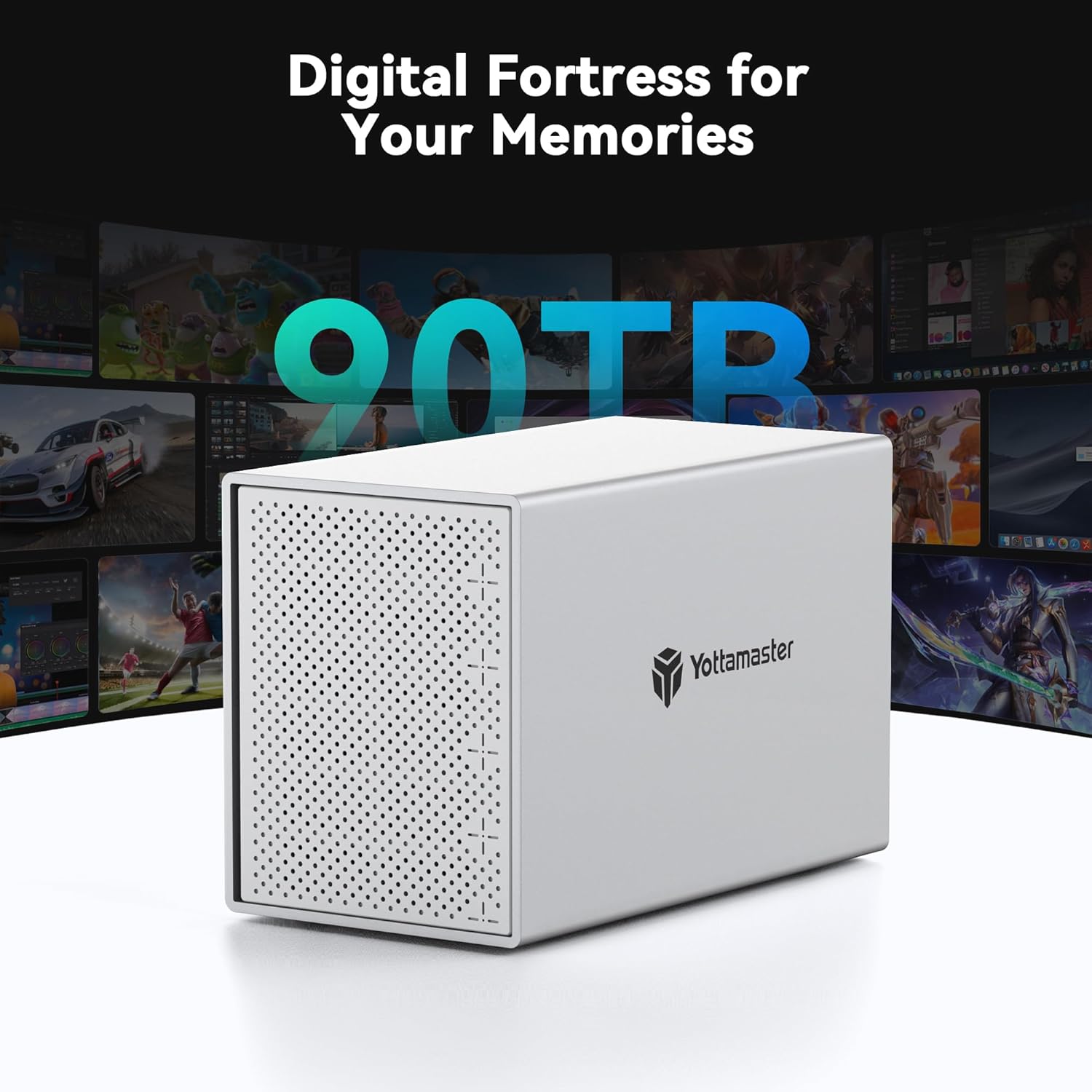
Yottamaster 5 Bay External Hard Drive Enclosure, Aluminum USB3.0 3.5" HDD Enclosure for 3.5 & 2.5 Inch SATA HDD/SSD, Support 90TB(5x18TB) Direct Attached Storage DAS, Non-RAID [PS500U3]

3.90

지난 32시간 동안 판매됨 27

$ 119.98
$ 131.00
-9.18%

Just set this up today, and I'm doing a stress test. I installed five drives that were recently replaced in my file server. All were recognized immediately on startup with no need for any drivers or other setup. Just plug in, turn on and go.I'm now running long generic tests on all five drives simultaneously and monitoring the temperatures using CrystalDiskInfo. All five are running cool and temps are holding steady after several hours. Tests are running at normal speeds and the device is providing adequate power, connectivity, and cooling to all five.If I had to mention anything, it's that the drive rails are a bit tight and despite that, the drives aren't aligned exactly with the SATA connectors and it takes a bit of wiggling to get them aligned and connected. The door on the front is also a little flimsy and you can't see the LED indicators through it unless you are directly in front of it. The latch is also a little finicky, in that you have to press it much harder than expected to get it to latch, and it doesn't spring open. You have to pry it a bit with your fingernail.Those "complaints" are nothing though. My plan is to use this as a JBOD setup for a software raid and this looks like a product that will do exactly what I need it to do for a very good price.

16 현재 누군가가 웹사이트를 탐색 중입니다.

수량:
- +

예상 배송 시간: 12~26일(국제), 3~6일(미국)

구매일로부터 45일 이내에 반품이 가능합니다. 관세 및 세금은 환불되지 않습니다.

  • ASIN:

    B06XK972L1

  • BEST_SELLERS_RANK:

    #349 in Enclosures

  • COMPATIBLE_DEVICES:

    Laptop

  • CONNECTIVITY_TECHNOLOGY:

    usb

  • CUSTOMER_REVIEWS:

    3.9 3.9 out of 5 stars (322) 3.9 out of 5 stars

  • DATA_TRANSFER_RATE:

    6 Gigabits Per Second

  • DATE_FIRST_AVAILABLE:

    April 9, 2017

  • HARD_DISK_FORM_FACTOR:

    3.5 Inches

  • IS_DISCONTINUED_BY_MANUFACTURER:

    No

  • ITEM_MODEL_NUMBER:

    5 Bay USB3.0

  • ITEM_WEIGHT:

    7.74 pounds

  • MANUFACTURER:

    Yottamaster

  • MATERIAL:

    Aluminum

  • MAX_NUMBER_OF_SUPPORTED_DEVICES:

    5

  • MEMORY_STORAGE_CAPACITY:

    80 TB

  • PRODUCT_DIMENSIONS:

    5.35 x 9.92 x 6.63 inches

안전한 결제를 보장하세요

제품 상세 정보
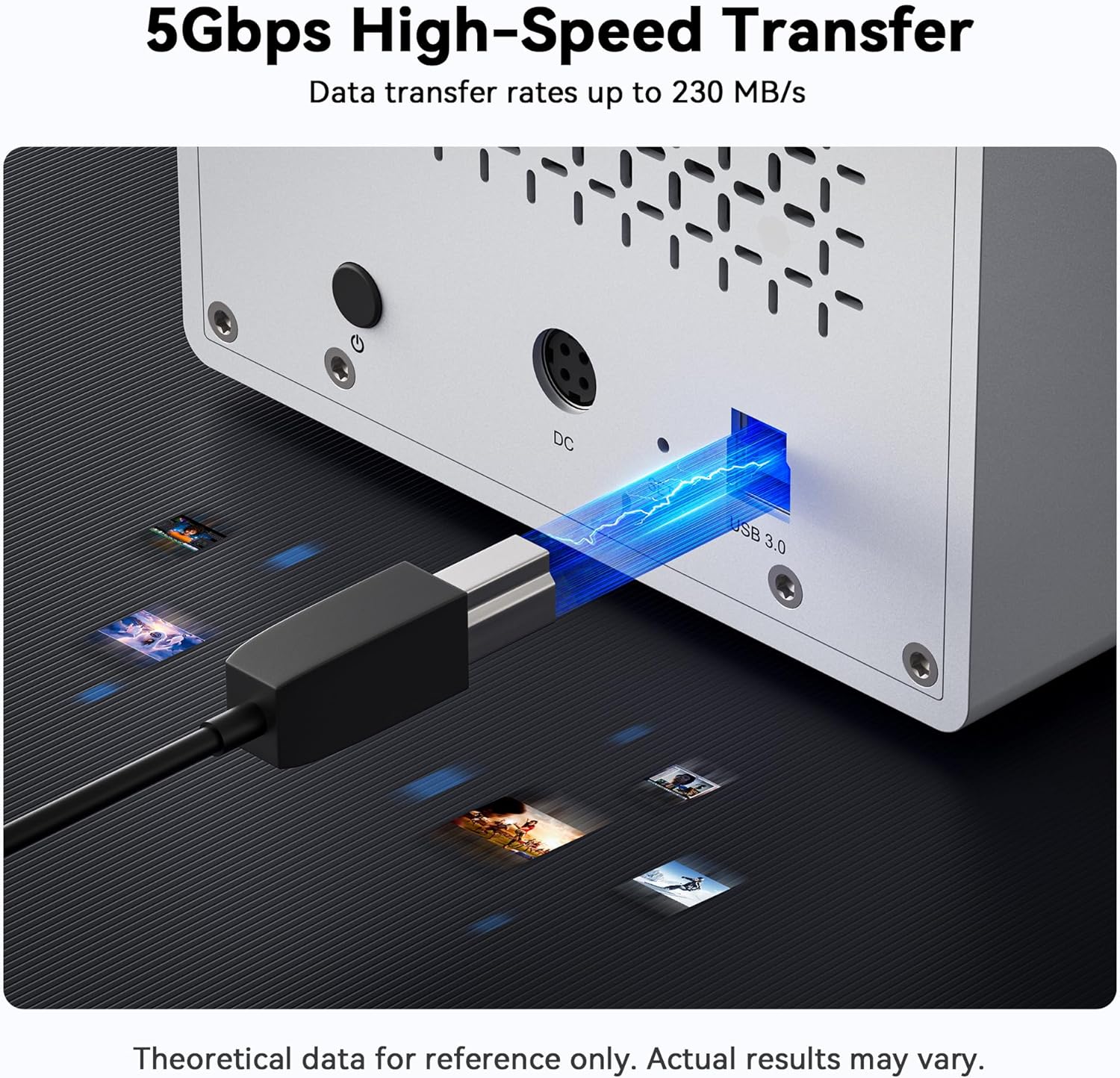
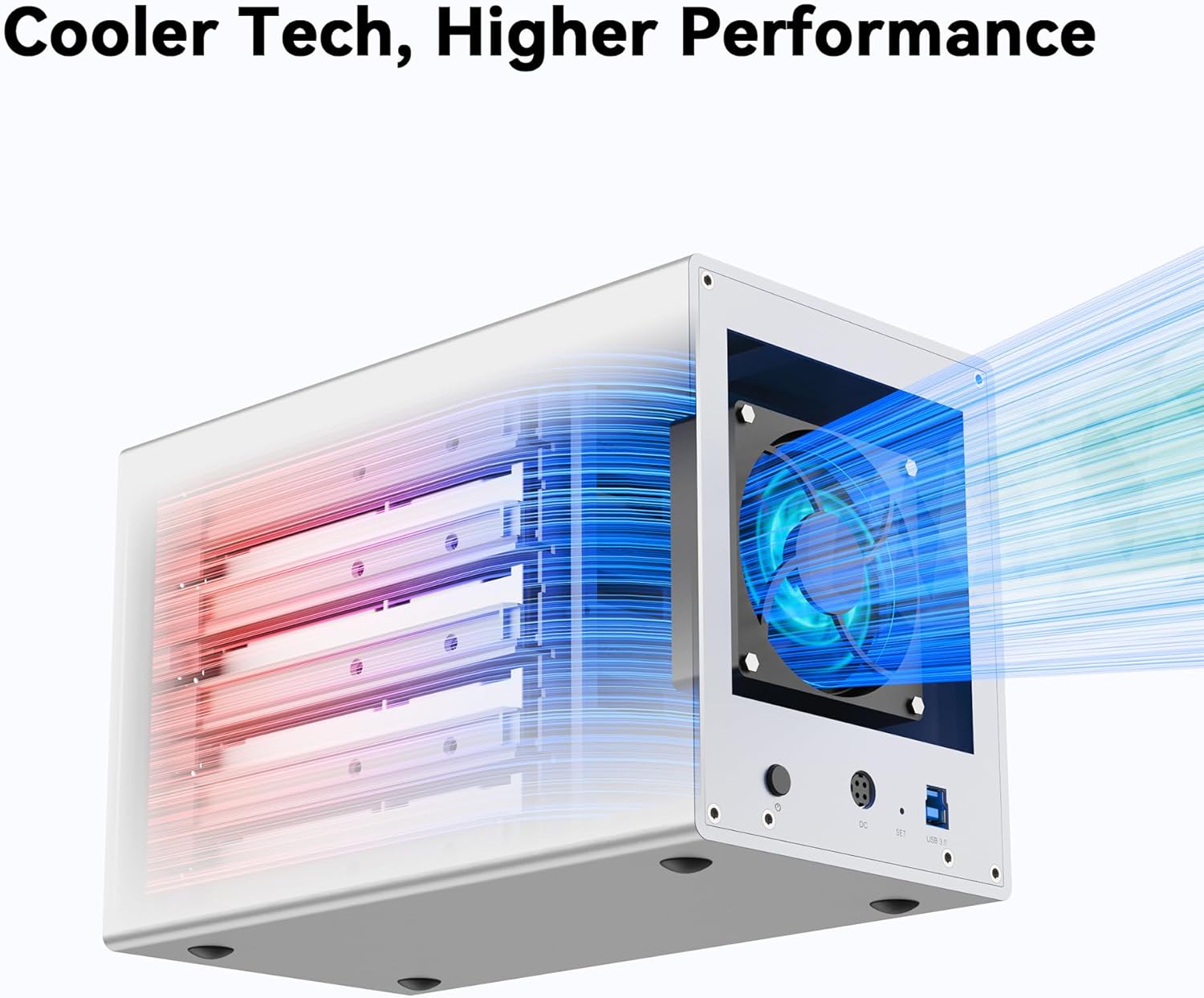
Yottamaster is a professional high-end storage brand, that aims to provide professional-grade storage solution for individuals, small and medium enterprises worldwide. The brand name is inspired by the largest unit of computerstorage capacity -"YottaByte", which symbolizes the storage market we deeply rooted in. While "master" means professional attitude and service. Single disk support up to 16TB, Support Windows and macOS Systems; PUSH design allows you to replace the hard drive more conveniently; USB3.0 to SATA 3.0 6Gbps Transfer Speed. L x W x H: 25.2 x 13.6 x 16.9 cm, 9.92 x 5.35 x 6.65 inch. Weight: 3.33kg / 117.36 oz / 7.33 lb. The device needs to be connected directly to your computer. . More FAQs, please download the Troubleshooting Guide (PDF) at below. Cool all-aluminum body Front and rear with large area cooling holes. 80mm fan speed up convection and rapid cooling. USB3.1 GEN1 Type-B 6Gbps With USB-A to Type-B cable (1m/3.3ft) With a versatile USB-A port to connect your peripheral devices. House up to 5 hard drives 5 removeable trays. Easy to install/replace the large desktop drives or the laptop drives & SSDs. : Power on : Reading data : Hard drive error , or the enclosure won't work properly if the plug is inserted in a wrong direction. How do i know if one of the hard drive is failed? If one of the drives is damaged/failed, the corresponding indicator will turn red and the enclosure will make a warning sound(beep). How to Replace A Hard Drive? 1. Find the drive(bad one or the one you wanna replace). Eject the enclosure from PC then power off the enclosure. 2. Pull out the drive. Format the new drive on another device first. Then insert it to the original position and turn on the enclosure. How to add a new hard drive into the enclosure? 1. Safely eject the enclosure from your computer and then turn off the enclosure. 2. If the drive you want to add is a brand new drive, please format it on another device. Then insert it into the enclosure. Do not change the drive order. Can I connect the device to the computer through a hub? We recommend that you connect the device directly to the computer, as the connection may be unstable through a hub. What is the specification of the fan? The diameter is 80mm, the voltage is 12V, and there is no current limit. 2 PIN. 5 Bay HDD Enclosure 5 Bay USBC Enclosure 4 Bay HDD Enclosure 5 Bay RAID Enclosure 2 Bay RAID Enclosure 2 Bay RAID Enclosure
고객 리뷰
3.90

(100 점수)

5
16
4
3
3
7
2
16
1
58
댓글 취소
댓글을 남겨주세요

8 논평

Just set this up today, and I'm doing a stress test. I installed five drives that were recently replaced in my file server. All were recognized immediately on startup with no need for any drivers or other setup. Just plug in, turn on and go.I'm now running long generic tests on all five drives simultaneously and monitoring the temperatures using CrystalDiskInfo. All five are running cool and temps are holding steady after several hours. Tests are running at normal speeds and the device is providing adequate power, connectivity, and cooling to all five.If I had to mention anything, it's that the drive rails are a bit tight and despite that, the drives aren't aligned exactly with the SATA connectors and it takes a bit of wiggling to get them aligned and connected. The door on the front is also a little flimsy and you can't see the LED indicators through it unless you are directly in front of it. The latch is also a little finicky, in that you have to press it much harder than expected to get it to latch, and it doesn't spring open. You have to pry it a bit with your fingernail.Those "complaints" are nothing though. My plan is to use this as a JBOD setup for a software raid and this looks like a product that will do exactly what I need it to do for a very good price.

The enclosure came in very secure. It worked right out of the box and once filled with drives and connected to my linux box, it worked with no significant issues (see below). I'm not using it for RAID or anything fancy just a raw drive enclosure. It was easy to add the drives to the included caddies and in to the enclosure. All the lights worked and were visible as were listed in the instructions. Previous reviewers mentioned the build quality. I had no issues. The drive door did seem a little light weight but it did its job just fine. Just don't go swinging or banging on the door and it will last. After getting one running I quickly ordered a second one and when the second one is full I'll order a third. I suggest anyone looking for a drive enclosure consider this one.I did listen to one reviewer and before adding any drives I opened it up and removed the 80mm fan. It was easy to do and I thought it wouldn't pull much air (I should have tested it first). An external 120mm fan was hot glued on the back of each enclosure. One was faced to "push" air in and the other to "pull" air out. The paper test was used to judge flow by holding a small piece of paper in front of the front grill and observing if the paper gets sucked or pushed from the grill. It showed both methods worked perfectly to move air. I do wish I set both to "pull" air as the 80mm did. Even though the paper test showed adequate air movement, when I put my hand behind the "push" fan it feels like alot of wasted air is being sent backwards out of the fan. Could this be lost pressure? The "pull" fan has no leaks or lost pressure.My Linux box seemed to have a problem seeing all the drives til I found the proper sequence in connecting everything. Put drive in enclosure and turn the enclosure on. Startup the Linux box. Once booted connect the enclosure to the computer and it will eventually (~1 minute) see the drive and load up the mount point. Once I figured it out I had absolutely no issues with the connection.

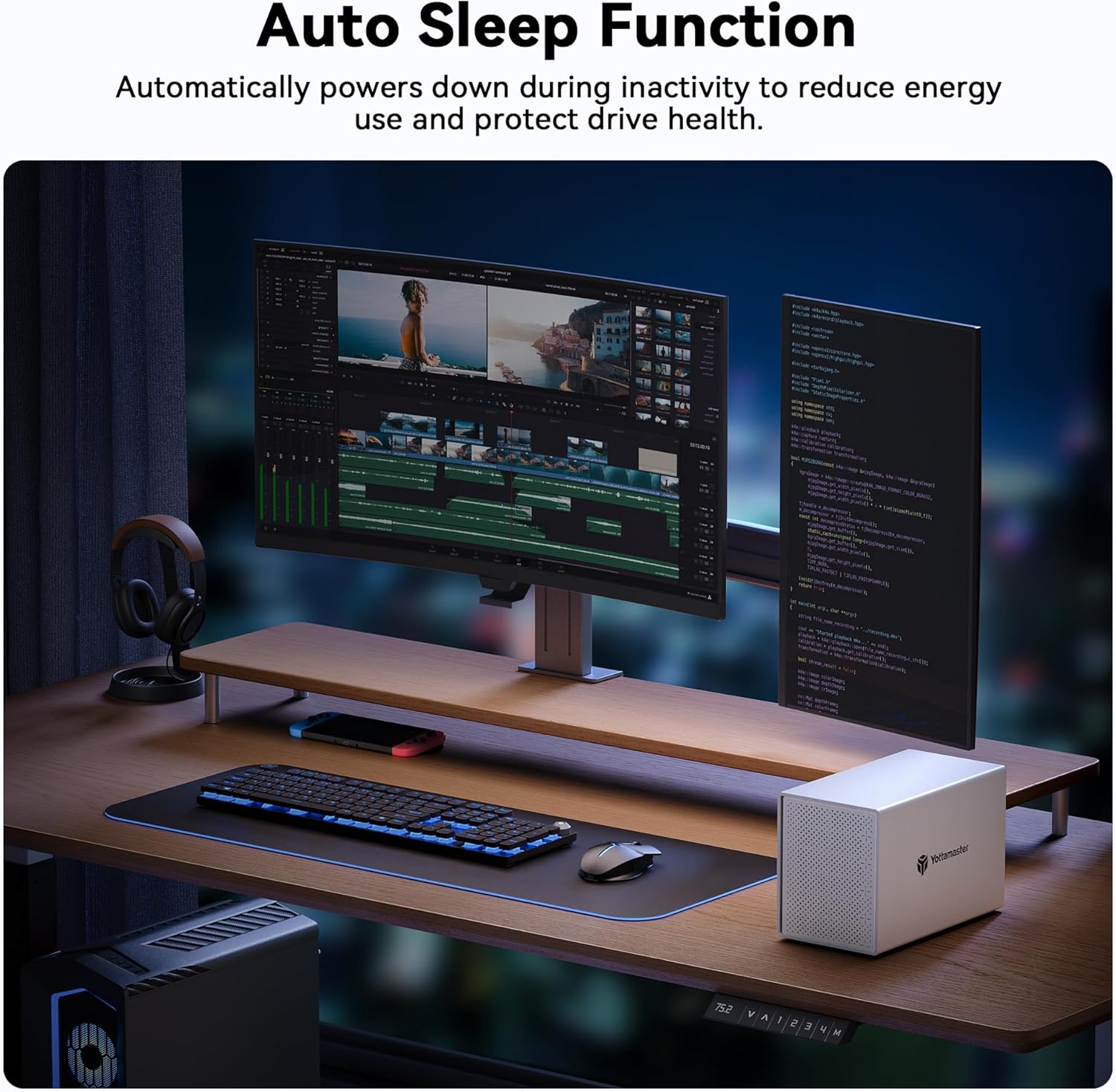
UPDATE2: Well, now that its sleepig again, its now killing my drives. Its eaten 2 very healthy and new drives. Its time to trash this trash!UPDATE: after about a year of it working fine and not sleeping, it just decided to start sleeping again. And Ive checked every single setting, port, USB, sleep this and that a million times, it just puts all the drives to sleep and its annoyingly horrible. I give up, im tossing this garbage and will be buying a quality product.Setup was super easy, was recognized quickly under Win10, and the build, for the price was not bad. Super happy with my purchase, until it started falling a sleep. Like many here, I tried EVERTYHING, all power options, set nothing to sleep, but after 10 mins of no activity, the whole thing goes to sleep and the drive letter disappear. You can reboot the PC and it will NOT come back. Only way to wake it is to power off and on again. Then if no activity, back to sleep it goes, no drive letters, no wakie wakie. Man.. this sux, I have to return it and try a different one. :(UPDATE!: HOW TO FIX: So I figured this out, its not the drive, its not Windows XX putting the drive to sleep, its Windows putting the USB ports to sleep! goto DEVICE MANAGER>USB PORTS, Right click select PROPERTIES, then click on the POWER MANAGEMENT tab at the end, and un-check ALLOW THE COMPUTER TO TURN OFF THIS DEVICE TO SAVE POWER. Boom! she wont go to sleep. Working great now. Taking one start away for the seller not knowing this. Another for not having any form of GUI, but I still like it and im going to keep it as a cheap external HD solution!

Attractive and easy to use, not quite silent.
2026-02-11    -Bradley Smith

The aluminum case is sturdy and attractive. It was easy to set up, just screw each hard drive into a tray and push it in. I've had it a few weeks and it is working well. I haven't tested transfer speeds but they're easily more than what I need, as I primarily use it for storage and a plex media server.The case fan is fairly quiet, but not "silent" as claimed. It has a humming tone and it is always on full speed regardless of current temperature. It is quieter than the hard drives themselves, at least, but it was disappointing how much noise it makes when all the drives are at rest. It was not hard to replace with a quieter noctua A8-ULN fan.The drive activity LEDs are not really readable without opening the metal door, unless you look straight down each hole, but usually I don't want to see them anyway, so this is preferred. The door is slightly awkward to open, but it does not need to be opened very often.The plastic trays will scrape against the sharp aluminum rails inside, so with repeated use they could become loose.The software downloads on the website do not offer a sleep time setting program for Mac. There is some sort of RAID Manager software for Mac, but it does not run, just crashes. If any software utility is needed, it is not provided here. Thankfully it seems to work well out of the box with no supporting software. (I do not use RAID, each hard drive is used as a separate drive.)

Attractive and easy to use, not quite silent.
2026-01-15    -Bradley Smith

The aluminum case is sturdy and attractive. It was easy to set up, just screw each hard drive into a tray and push it in. I've had it a few weeks and it is working well. I haven't tested transfer speeds but they're easily more than what I need, as I primarily use it for storage and a plex media server.The case fan is fairly quiet, but not "silent" as claimed. It has a humming tone and it is always on full speed regardless of current temperature. It is quieter than the hard drives themselves, at least, but it was disappointing how much noise it makes when all the drives are at rest. It was not hard to replace with a quieter noctua A8-ULN fan.The drive activity LEDs are not really readable without opening the metal door, unless you look straight down each hole, but usually I don't want to see them anyway, so this is preferred. The door is slightly awkward to open, but it does not need to be opened very often.The plastic trays will scrape against the sharp aluminum rails inside, so with repeated use they could become loose.The software downloads on the website do not offer a sleep time setting program for Mac. There is some sort of RAID Manager software for Mac, but it does not run, just crashes. If any software utility is needed, it is not provided here. Thankfully it seems to work well out of the box with no supporting software. (I do not use RAID, each hard drive is used as a separate drive.)

Just set this up today, and I'm doing a stress test. I installed five drives that were recently replaced in my file server. All were recognized immediately on startup with no need for any drivers or other setup. Just plug in, turn on and go.I'm now running long generic tests on all five drives simultaneously and monitoring the temperatures using CrystalDiskInfo. All five are running cool and temps are holding steady after several hours. Tests are running at normal speeds and the device is providing adequate power, connectivity, and cooling to all five.If I had to mention anything, it's that the drive rails are a bit tight and despite that, the drives aren't aligned exactly with the SATA connectors and it takes a bit of wiggling to get them aligned and connected. The door on the front is also a little flimsy and you can't see the LED indicators through it unless you are directly in front of it. The latch is also a little finicky, in that you have to press it much harder than expected to get it to latch, and it doesn't spring open. You have to pry it a bit with your fingernail.Those "complaints" are nothing though. My plan is to use this as a JBOD setup for a software raid and this looks like a product that will do exactly what I need it to do for a very good price.

UPDATE2: Well, now that its sleepig again, its now killing my drives. Its eaten 2 very healthy and new drives. Its time to trash this trash!UPDATE: after about a year of it working fine and not sleeping, it just decided to start sleeping again. And Ive checked every single setting, port, USB, sleep this and that a million times, it just puts all the drives to sleep and its annoyingly horrible. I give up, im tossing this garbage and will be buying a quality product.Setup was super easy, was recognized quickly under Win10, and the build, for the price was not bad. Super happy with my purchase, until it started falling a sleep. Like many here, I tried EVERTYHING, all power options, set nothing to sleep, but after 10 mins of no activity, the whole thing goes to sleep and the drive letter disappear. You can reboot the PC and it will NOT come back. Only way to wake it is to power off and on again. Then if no activity, back to sleep it goes, no drive letters, no wakie wakie. Man.. this sux, I have to return it and try a different one. :(UPDATE!: HOW TO FIX: So I figured this out, its not the drive, its not Windows XX putting the drive to sleep, its Windows putting the USB ports to sleep! goto DEVICE MANAGER>USB PORTS, Right click select PROPERTIES, then click on the POWER MANAGEMENT tab at the end, and un-check ALLOW THE COMPUTER TO TURN OFF THIS DEVICE TO SAVE POWER. Boom! she wont go to sleep. Working great now. Taking one start away for the seller not knowing this. Another for not having any form of GUI, but I still like it and im going to keep it as a cheap external HD solution!

The enclosure came in very secure. It worked right out of the box and once filled with drives and connected to my linux box, it worked with no significant issues (see below). I'm not using it for RAID or anything fancy just a raw drive enclosure. It was easy to add the drives to the included caddies and in to the enclosure. All the lights worked and were visible as were listed in the instructions. Previous reviewers mentioned the build quality. I had no issues. The drive door did seem a little light weight but it did its job just fine. Just don't go swinging or banging on the door and it will last. After getting one running I quickly ordered a second one and when the second one is full I'll order a third. I suggest anyone looking for a drive enclosure consider this one.I did listen to one reviewer and before adding any drives I opened it up and removed the 80mm fan. It was easy to do and I thought it wouldn't pull much air (I should have tested it first). An external 120mm fan was hot glued on the back of each enclosure. One was faced to "push" air in and the other to "pull" air out. The paper test was used to judge flow by holding a small piece of paper in front of the front grill and observing if the paper gets sucked or pushed from the grill. It showed both methods worked perfectly to move air. I do wish I set both to "pull" air as the 80mm did. Even though the paper test showed adequate air movement, when I put my hand behind the "push" fan it feels like alot of wasted air is being sent backwards out of the fan. Could this be lost pressure? The "pull" fan has no leaks or lost pressure.My Linux box seemed to have a problem seeing all the drives til I found the proper sequence in connecting everything. Put drive in enclosure and turn the enclosure on. Startup the Linux box. Once booted connect the enclosure to the computer and it will eventually (~1 minute) see the drive and load up the mount point. Once I figured it out I had absolutely no issues with the connection.

댓글을 남겨주세요:

댓글 제목
댓글 내용
배송 및 반품
우리가 당신을 보호하겠습니다

대부분 지역에서는 배송비를 한 번만 지불하시면 됩니다 (주문 및 배송 페이지를 확인해 주세요).

구매 후 14일 이내 무료 반품 가능 (단, 수명이 다한 제품, 맞춤 제작 상품, 마스크, 향수 및 에어로졸과 같이 위험하거나 인화성 물질이 포함된 일부 제품은 제외).

수입 관세 정보

복잡한 절차는 저희가 처리해 드리겠습니다. 카나리아 제도를 제외한 모든 EU 국가, 영국, 미국, 캐나다, 호주, 뉴질랜드, 푸에르토리코, 스위스, 싱가포르, 한국, 쿠웨이트, 멕시코, 카타르, 인도, 노르웨이, 사우디아라비아, 대만, 태국, UAE, 일본, 브라질, 맨섬, 산마리노, 콜롬비아, 칠레, 아르헨티나, 이집트, 레바논, 홍콩 특별행정구, 바레인, 터키로 배송되는 상품 가격에는 모든 수입 관세가 포함되어 있습니다. 표시된 가격이 최종 결제 금액입니다.

예상 배송 시간

특급 배송: 7-10일

해당 창고에서 배송되었습니다.

더 자세한 정보가 필요하신가요?
반품 정책
반품 정책

저희는 제품 품질에 자신 있습니다. 만약 구매하신 제품에 완전히 만족하지 못하신다면, 수령일로부터 30일 이내에 간편하게 반품하실 수 있도록 정책을 마련해 두었습니다.

간편한 교환 또는 환불
  • 다른 사이즈, 색상 또는 스타일의 상품으로 교환하거나 전액 환불받을 수 있습니다.
  • 반품되는 모든 상품은 착용하지 않은 상태여야 하며, 원래 포장 상태 그대로 모든 태그가 손상되지 않은 상태여야 합니다.
간단한 절차
  • 온라인으로 반품을 신청하거나 고객 서비스 팀에 문의하여 도움을 받으실 수 있습니다.
  • 물품을 제대로 포장해 주시고, 원래의 포장 목록도 함께 넣어주세요.
  • 반품하실 상품을 보내주실 때에는 저희가 제공해 드린 선불 배송 라벨을 사용해 주시기 바랍니다.
  • 환불 요청 접수 즉시 처리해 드리겠습니다.

반품과 관련하여 궁금한 점이나 우려 사항이 있으시면 언제든지 저희 전문 고객 서비스 팀에 문의해 주세요. 고객 만족은 저희의 최우선 목표입니다.

범주
차이
제품
모든 제품 지우기