고객 서비스

판매자들은 가입하면 더 많은 혜택을 누릴 수 있습니다.

모든 주문 무료 배송.

하드디스크

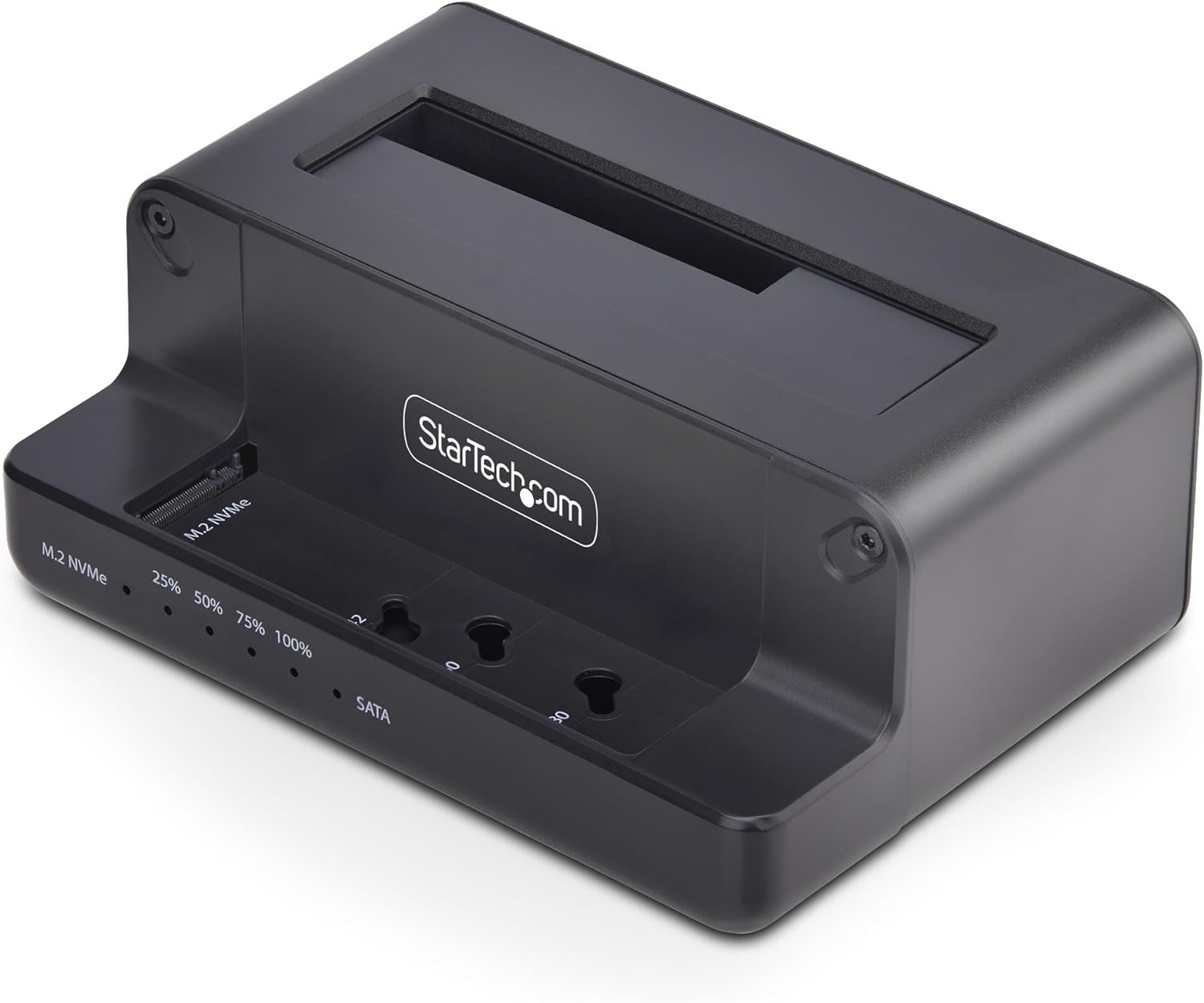
StarTech.com M.2 NVMe to 2.5"/3.5" SATA Drive Duplicator, Dual Bay Standalone Cloner/Drive Dock, 27GB/min, NVMe to SATA / SATA to NVMe, TAA

3.80

지난 32시간 동안 판매됨 35

$ 67.99
$ 69.00
-1.49%

I have been using cloning devices from this company for over 10 years. You insert your source and target drives, press a button a couple of times, come back a few hours later and you have a bootable clone.Reluctant to buy this NVME-Sata SSD iteration because there were no reviews. I can see why.With this device you insert you SSD devices—then it tells you you have to plug in your USB cable to a working PC to download specific drivers—what? You just took your computer apart!So you put everything back together, find a working PC. Blue lights flash. Nothing happens. Cloning will not start. Tried re-setting everything. Nothing worked.Put original source (NVMe) drive back into PC. It booted up once then got Terror Blue MS screen.After cloning dozens of drives over 11 years, this had never happened before. I believe this gadget corrupted the boot sector of the drive I was trying to clone.You can see why there are no product reviews.

16 현재 누군가가 웹사이트를 탐색 중입니다.

수량:
- +

예상 배송 시간: 12~26일(국제), 3~6일(미국)

구매일로부터 45일 이내에 반품이 가능합니다. 관세 및 세금은 환불되지 않습니다.

  • ASIN:

    B0DPJ6NGD3

  • BEST_SELLERS_RANK:

    #53 in Hard Drive Docking Stations

  • CUSTOMER_REVIEWS:

    3.8 3.8 out of 5 stars (6) 3.8 out of 5 stars

  • DATE_FIRST_AVAILABLE:

    December 3, 2024

  • ITEM_MODEL_NUMBER:

    N2-M2-SSD-DUPLICATOR

  • ITEM_WEIGHT:

    10.2 ounces

  • MANUFACTURER:

    StarTech.com

  • PRODUCT_DIMENSIONS:

    5.5 x 3.9 x 2.2 inches

안전한 결제를 보장하세요

제품 상세 정보
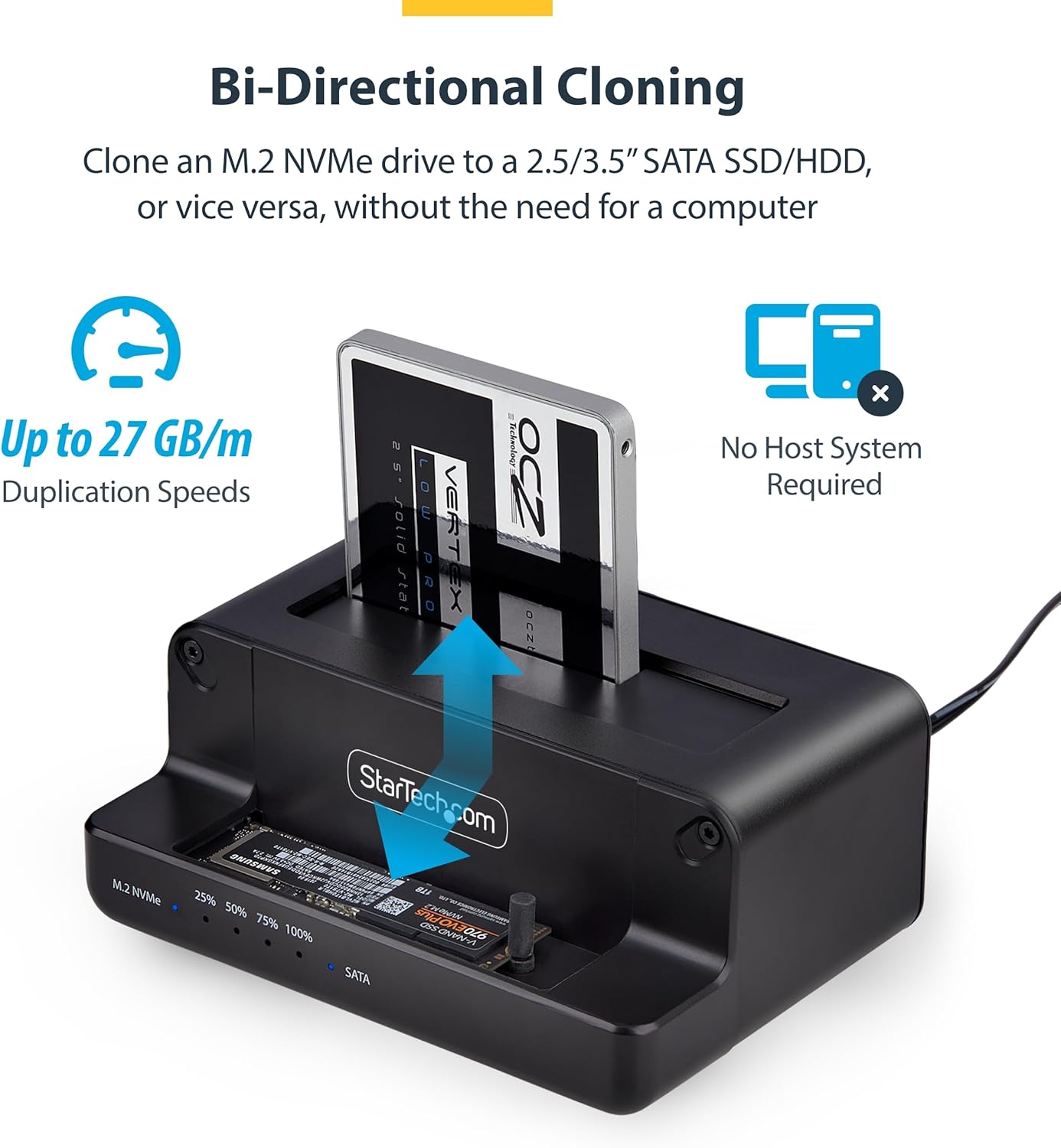
Perform bidirectional cloning between M.2 NVMe and 2.5/3.5" SATA SSDs/HDDs without a computer, using this M.2 NVMe to SATA Drive Duplicator. The standalone sector-by-sector duplication supports SATA III (6Gbps) and works with any file format. Clone an M.2 NVMe drive to a 2.5"/3.5" SATA SSD/HDD or vice versa. This solution is ideal for hardware upgrades, system imaging, or routine maintenance. The Duplicator Dock supports 2240, 2260, and 2280 M.2 NVMe sizes and fits all standard SATA drives, seamlessly combining both legacy and modern storage solutions. The USB 3.2 Gen 2 (10Gbps) host connection provides external access to both M.2 NVMe and SATA drives, facilitating data transfer between systems without the need to install the drives internally. The Standalone M.2 NVMe to 2.5/3.5in SATA Cloner is portable and minimizes desk space usage. It enables instant data backup, and is ideal for IT Professionals when troubleshooting on-site, with the ability to instantly re-image and re-deploy M.2 NVMe and SATA SSDs/HDDs without the need for a dedicated cloning station. The SSD Cloner Dock features a top-loading design to promote passive airflow for consistent temperatures during peak performance. The Standalone Duplicator supports 4Kn sector size, TRIM, SMART, and UASP. Please note that the target disk must be equal to or larger than the source disk.
고객 리뷰
3.80

(100 점수)

5
18
4
0
3
22
2
0
1
60
댓글 취소
댓글을 남겨주세요

6 논평

I have been using cloning devices from this company for over 10 years. You insert your source and target drives, press a button a couple of times, come back a few hours later and you have a bootable clone.Reluctant to buy this NVME-Sata SSD iteration because there were no reviews. I can see why.With this device you insert you SSD devices—then it tells you you have to plug in your USB cable to a working PC to download specific drivers—what? You just took your computer apart!So you put everything back together, find a working PC. Blue lights flash. Nothing happens. Cloning will not start. Tried re-setting everything. Nothing worked.Put original source (NVMe) drive back into PC. It booted up once then got Terror Blue MS screen.After cloning dozens of drives over 11 years, this had never happened before. I believe this gadget corrupted the boot sector of the drive I was trying to clone.You can see why there are no product reviews.

I have been using cloning devices from this company for over 10 years. You insert your source and target drives, press a button a couple of times, come back a few hours later and you have a bootable clone.Reluctant to buy this NVME-Sata SSD iteration because there were no reviews. I can see why.With this device you insert you SSD devices—then it tells you you have to plug in your USB cable to a working PC to download specific drivers—what? You just took your computer apart!So you put everything back together, find a working PC. Blue lights flash. Nothing happens. Cloning will not start. Tried re-setting everything. Nothing worked.Put original source (NVMe) drive back into PC. It booted up once then got Terror Blue MS screen.After cloning dozens of drives over 11 years, this had never happened before. I believe this gadget corrupted the boot sector of the drive I was trying to clone.You can see why there are no product reviews.

Excellent worth it !
2026-03-03    -Userr

excellent product very easy to use ! did the job for me ! buy it !

Excellent worth it !
2026-01-19    -Userr

excellent product very easy to use ! did the job for me ! buy it !

I was cautious about this item given the lack of other reviews. However, I have bought multiple StarTech products and have never been disappointed. This dock is no different. I easily inserted a 16 TB Seagate Exos drive, connected it to my Debian 12 server, plugged it in and powered on. I needed to use a USB type C to USB 3.0 type B lead (not included) since the included USB-C to USB-C lead included in the box does not connect to my server. The server recognized the drive without needing any other steps. I formatted the drive with ZFS and have successfully backed up 4 TB of data. Very happy so far.The other reason I was cautious is that the dock is advertised as a cloning station. However, I noticed that the manual also specified it could be used as a dock.I have not conducted any formal speed tests, but it seems speed limited by the HDD as expected. I expect the SSD and NVME to be faster.I will update the review once I have tested with SSD and NVME drives and if I get around to cloning anything.

I was cautious about this item given the lack of other reviews. However, I have bought multiple StarTech products and have never been disappointed. This dock is no different. I easily inserted a 16 TB Seagate Exos drive, connected it to my Debian 12 server, plugged it in and powered on. I needed to use a USB type C to USB 3.0 type B lead (not included) since the included USB-C to USB-C lead included in the box does not connect to my server. The server recognized the drive without needing any other steps. I formatted the drive with ZFS and have successfully backed up 4 TB of data. Very happy so far.The other reason I was cautious is that the dock is advertised as a cloning station. However, I noticed that the manual also specified it could be used as a dock.I have not conducted any formal speed tests, but it seems speed limited by the HDD as expected. I expect the SSD and NVME to be faster.I will update the review once I have tested with SSD and NVME drives and if I get around to cloning anything.

댓글을 남겨주세요:

댓글 제목
댓글 내용
배송 및 반품
우리가 당신을 보호하겠습니다

대부분 지역에서는 배송비를 한 번만 지불하시면 됩니다 (주문 및 배송 페이지를 확인해 주세요).

구매 후 14일 이내 무료 반품 가능 (단, 수명이 다한 제품, 맞춤 제작 상품, 마스크, 향수 및 에어로졸과 같이 위험하거나 인화성 물질이 포함된 일부 제품은 제외).

수입 관세 정보

복잡한 절차는 저희가 처리해 드리겠습니다. 카나리아 제도를 제외한 모든 EU 국가, 영국, 미국, 캐나다, 호주, 뉴질랜드, 푸에르토리코, 스위스, 싱가포르, 한국, 쿠웨이트, 멕시코, 카타르, 인도, 노르웨이, 사우디아라비아, 대만, 태국, UAE, 일본, 브라질, 맨섬, 산마리노, 콜롬비아, 칠레, 아르헨티나, 이집트, 레바논, 홍콩 특별행정구, 바레인, 터키로 배송되는 상품 가격에는 모든 수입 관세가 포함되어 있습니다. 표시된 가격이 최종 결제 금액입니다.

예상 배송 시간

특급 배송: 7-10일

해당 창고에서 배송되었습니다.

더 자세한 정보가 필요하신가요?
반품 정책
반품 정책

저희는 제품 품질에 자신 있습니다. 만약 구매하신 제품에 완전히 만족하지 못하신다면, 수령일로부터 30일 이내에 간편하게 반품하실 수 있도록 정책을 마련해 두었습니다.

간편한 교환 또는 환불
  • 다른 사이즈, 색상 또는 스타일의 상품으로 교환하거나 전액 환불받을 수 있습니다.
  • 반품되는 모든 상품은 착용하지 않은 상태여야 하며, 원래 포장 상태 그대로 모든 태그가 손상되지 않은 상태여야 합니다.
간단한 절차
  • 온라인으로 반품을 신청하거나 고객 서비스 팀에 문의하여 도움을 받으실 수 있습니다.
  • 물품을 제대로 포장해 주시고, 원래의 포장 목록도 함께 넣어주세요.
  • 반품하실 상품을 보내주실 때에는 저희가 제공해 드린 선불 배송 라벨을 사용해 주시기 바랍니다.
  • 환불 요청 접수 즉시 처리해 드리겠습니다.

반품과 관련하여 궁금한 점이나 우려 사항이 있으시면 언제든지 저희 전문 고객 서비스 팀에 문의해 주세요. 고객 만족은 저희의 최우선 목표입니다.

범주
차이
제품
모든 제품 지우기