안전 장비
Ctronics 5MP 30X Optical Zoom Security Camera WiFi Outdoor, 2.4/5Ghz WiFi Dome Surveillance Cameras with Auto Cruise & Zoom, 492ft Night Vision,Human Detection,IP66 (White)
3.90
지난 32시간 동안 판매됨 39
$ 159.99
$ 171.00
-6.88%
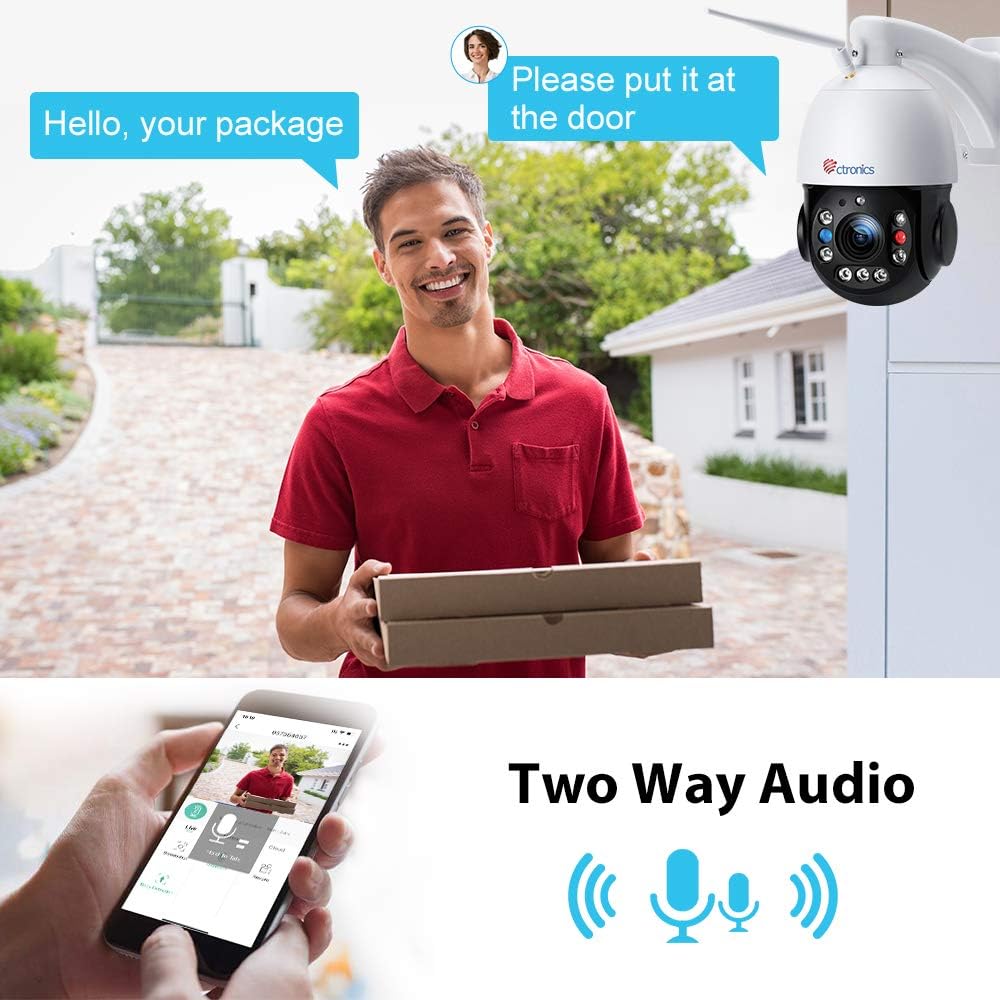
I have owned this camera for over a year. This camera features superb night vision, very high resolution (4K), and excellent manual or autofocus 20X optical zoom and a whole host of other features. With this camera I can read license plate numbers from over a city block away even at night. To read license plates at night, you will to adjust the exposure to minimum, but it works great and is very readable . If you do it, be sure to adjust the exposure back to “normal” after reading the plate as that exposure level is not suitable for normal night vision. The built in microphone is also sensitive and it even has a speaker built into to allow you to talk from within your PC or cellphone.In my situation, I set up my camera as a WiFi IP camera, though it can be set up as a wired camera through an Ethernet link cable. However, merely powering up my installed camera and connecting it to my wireless router proved futile in my situation due to the distance involved between it and my WiFi router in my living room. I could only wirelessly connect directly to my camera from my cell phone by using the CTronics Android app. You have to search for the camera using the broadcasted WiFi signal from within your cellphone's WiFi connection function. Once you do that, the CTronics app works great. This camera also works with a number other free apps available in the Google Ptaystore or Apple.Now here are the steps anyone needs to perform to connect CTronis camera to your wireless router if you are in the same situation I was in where the camera's signal WiFi signal was too weak due to distance and other factors.1. Purchase a Linksys or equivalent WiFi extender and make sure it has 2.4 GHz wireless capability. These cost about 50 bucks on Amazon.2. Plug the WiFi extender into an AC outlet near your camera inside the house, but not too close. In my two story house, the 2nd floor landing atop the stairs proved adequate.3. Configure the WiFi extender for 2.4 GHz wireless functionality.4. Using the direct WiFi connection from your cellphone to the camera by searching for the camera from with within your phone’s WiFi menu. In this mode, the camera itself operates as its own sort of WiFi router. Then open the Ctronics app and connect to the camera. Then from within the Ctronics app menu, read the IP address of the camera, and then write it down. It will be 192.168.1.XX . I don’t know if all CTronics wireless cameras use the same default IP address.5. Open a Google or Mozilla browser on your cellphone and type http://192.168.1.XX for a web address. Your browser will bring you to a blue menu where you are prompted for "ADMIN" and "PASSWORD. The default is "admin" and "admin" respectively, or what ever you set from the CTronics Android app.6. Once in the CTronics camera settings. Click on the "Settings" tab on the upper left.7. Click on the "Network" function.8. Click on the "Wireless" function from with the "Network" menu.9. Click search.10. Select the WiFi router host you just set up with your WiFi extender's 2.4 GHz signal. In most cases it will be the same as your current WiFi router but with an "_EXT" at the end of it.11. Once that is accomplished, connect your cellphone WiFi to that same 2.4 GHz signal of your WiFi extender. Please note that the WiFi extender will change the IP address of your camera when it re-broadcasts your camera signal.12. Now open the Ctronics app on your cellphone and search for the search for that camera. It will find the camera and you will now be able to operate and configure it from that app using the direct connection routed through your WiFi router extender device.13. From within the Android Ctronics app, look up the new IP address that your WiFi extender reassigned for that camera and write it down.Now that you have that new IP address, you can now operate that camera from any PC, Android, or Apple device from your home WiFi address using any internet browser or Blue Iris software that I highly recommend. I also recommend that you go back into the camera settings and change the camera's time zone to your particular time zone because the default one is set to China. I highly recommend Blue Iris primarily because it allows you to use digital zoom that combines very well with it’s optical zoom.
23 현재 누군가가 웹사이트를 탐색 중입니다.
수량:
-
+
예상 배송 시간: 12~26일(국제), 3~6일(미국)
구매일로부터 45일 이내에 반품이 가능합니다. 관세 및 세금은 환불되지 않습니다.
-
ALERT_TYPE:
Motion Only
-
ASIN:
B0894HGCRB
-
BATTERIES_REQUIRED:
No
-
BEST_SELLERS_RANK:
#1,891 in Dome Surveillance Cameras
-
COLOR:
white
-
COMPATIBLE_DEVICES:
Tablet
-
CONNECTIVITY_PROTOCOL:
Wi-Fi
-
CONTROLLER_TYPE:
app
-
CUSTOMER_REVIEWS:
3.9 3.9 out of 5 stars (1,116) 3.9 out of 5 stars
-
DATE_FIRST_AVAILABLE:
May 26, 2020
-
EFFECTIVE_STILL_RESOLUTION:
4.99 MP
-
EFFECTIVE_VIDEO_RESOLUTION:
5 MP
-
FOCUS_TYPE:
Auto Focus
-
FORM_FACTOR:
Dome
-
INCLUDED_COMPONENTS:
Instruction Manual
-
INDOOR_OUTDOOR_USAGE:
Outdoor
-
INTERNATIONAL_PROTECTION_RATING:
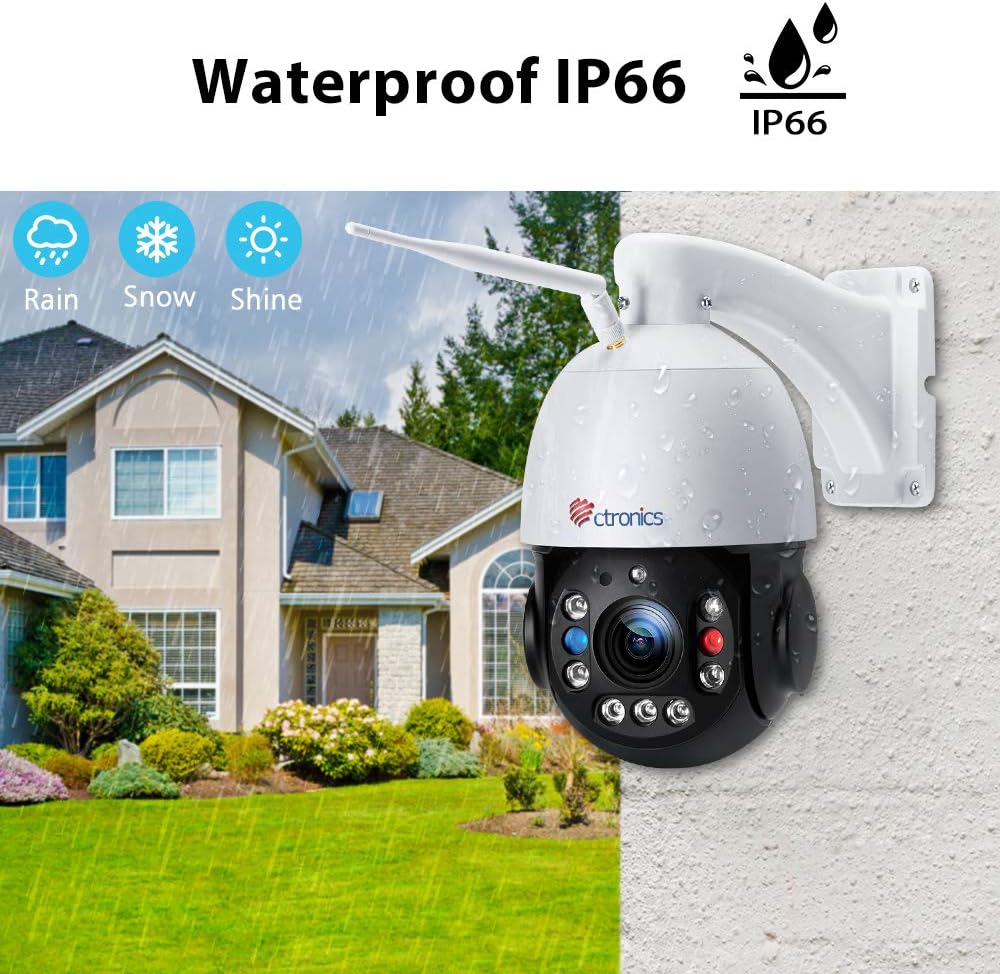
IP66
-
ITEM_DIMENSIONS_L_X_W_X_H:
2.76 x 2.76 x 2.76 inches
-
ITEM_MODEL_NUMBER:
295
-
ITEM_WEIGHT:
4.71 pounds
-
LIGHT_SOURCE_TYPE:
Infrared, LED
-
LOW_LIGHT_TECHNOLOGY:
Night Color
-
MANUFACTURER:
Ctronics
-
MATERIAL:
Aluminum
-
MAXIMUM_WEBCAM_IMAGE_RESOLUTION:
5 MP
-
MOUNTING_TYPE:
Wall Mount
-
NUMBER_OF_CHANNELS:
2
-
NUMBER_OF_ITEMS:
1
-
OPTICAL_ZOOM:
30 x
-
PHOTO_SENSOR_TECHNOLOGY:
CMOS
-
POWER_SOURCE:
Corded Electric
-
PRODUCT_DIMENSIONS:
2.76 x 2.76 x 2.76 inches
-
ROOM_TYPE:
Classroom, Kitchen, Living Room, Office
-
UNIT_COUNT:
1.0 Count
-
VIDEO_CAPTURE_FORMAT:
MP4
-
VIDEO_CAPTURE_RESOLUTION:
5 MP
-
VOLTAGE:
12 Volts
-
WATER_RESISTANCE_LEVEL:
Waterproof
-
WATTAGE:
12 watts
-
WIRELESS_COMMUNICATION_TECHNOLOGY:
Wi-Fi
-
ZOOM_RATIO:
30
-
ZOOM_TYPE:
Optical Zoom
안전한 결제를 보장하세요






제품 상세 정보
Ctronics WiFi Outdoor Security Camera 5MP Full HD home surveillance system
Specification:
Monitor your home in horizontal 355°/vertical 90°
Change the way you think about large area monitoring and take your surveillance monitoring to the next level with cameras that are truly all-seeing.
Pan&Tilt& Zoom
Pan: 355°horizontal
Tilt: 90°vertical
Zoom: 30X optical zoom
The 30X optical zoom feature provides the ability to focus on fine details.
고객 리뷰
3.90
(100 점수)
댓글 취소
댓글을 남겨주세요

배송 및 반품
우리가 당신을 보호하겠습니다
대부분 지역에서는 배송비를 한 번만 지불하시면 됩니다 (주문 및 배송 페이지를 확인해 주세요).
구매 후 14일 이내 무료 반품 가능 (단, 수명이 다한 제품, 맞춤 제작 상품, 마스크, 향수 및 에어로졸과 같이 위험하거나 인화성 물질이 포함된 일부 제품은 제외).
수입 관세 정보
복잡한 절차는 저희가 처리해 드리겠습니다. 카나리아 제도를 제외한 모든 EU 국가, 영국, 미국, 캐나다, 호주, 뉴질랜드, 푸에르토리코, 스위스, 싱가포르, 한국, 쿠웨이트, 멕시코, 카타르, 인도, 노르웨이, 사우디아라비아, 대만, 태국, UAE, 일본, 브라질, 맨섬, 산마리노, 콜롬비아, 칠레, 아르헨티나, 이집트, 레바논, 홍콩 특별행정구, 바레인, 터키로 배송되는 상품 가격에는 모든 수입 관세가 포함되어 있습니다. 표시된 가격이 최종 결제 금액입니다.
예상 배송 시간
특급 배송: 7-10일
해당 창고에서 배송되었습니다.
반품 정책
반품 정책
저희는 제품 품질에 자신 있습니다. 만약 구매하신 제품에 완전히 만족하지 못하신다면, 수령일로부터 30일 이내에 간편하게 반품하실 수 있도록 정책을 마련해 두었습니다.
간편한 교환 또는 환불
- 다른 사이즈, 색상 또는 스타일의 상품으로 교환하거나 전액 환불받을 수 있습니다.
- 반품되는 모든 상품은 착용하지 않은 상태여야 하며, 원래 포장 상태 그대로 모든 태그가 손상되지 않은 상태여야 합니다.
간단한 절차
- 온라인으로 반품을 신청하거나 고객 서비스 팀에 문의하여 도움을 받으실 수 있습니다.
- 물품을 제대로 포장해 주시고, 원래의 포장 목록도 함께 넣어주세요.
- 반품하실 상품을 보내주실 때에는 저희가 제공해 드린 선불 배송 라벨을 사용해 주시기 바랍니다.
- 환불 요청 접수 즉시 처리해 드리겠습니다.
반품과 관련하여 궁금한 점이나 우려 사항이 있으시면 언제든지 저희 전문 고객 서비스 팀에 문의해 주세요. 고객 만족은 저희의 최우선 목표입니다.