고객 서비스

판매자들은 가입하면 더 많은 혜택을 누릴 수 있습니다.

모든 주문 무료 배송.

문서 카메라

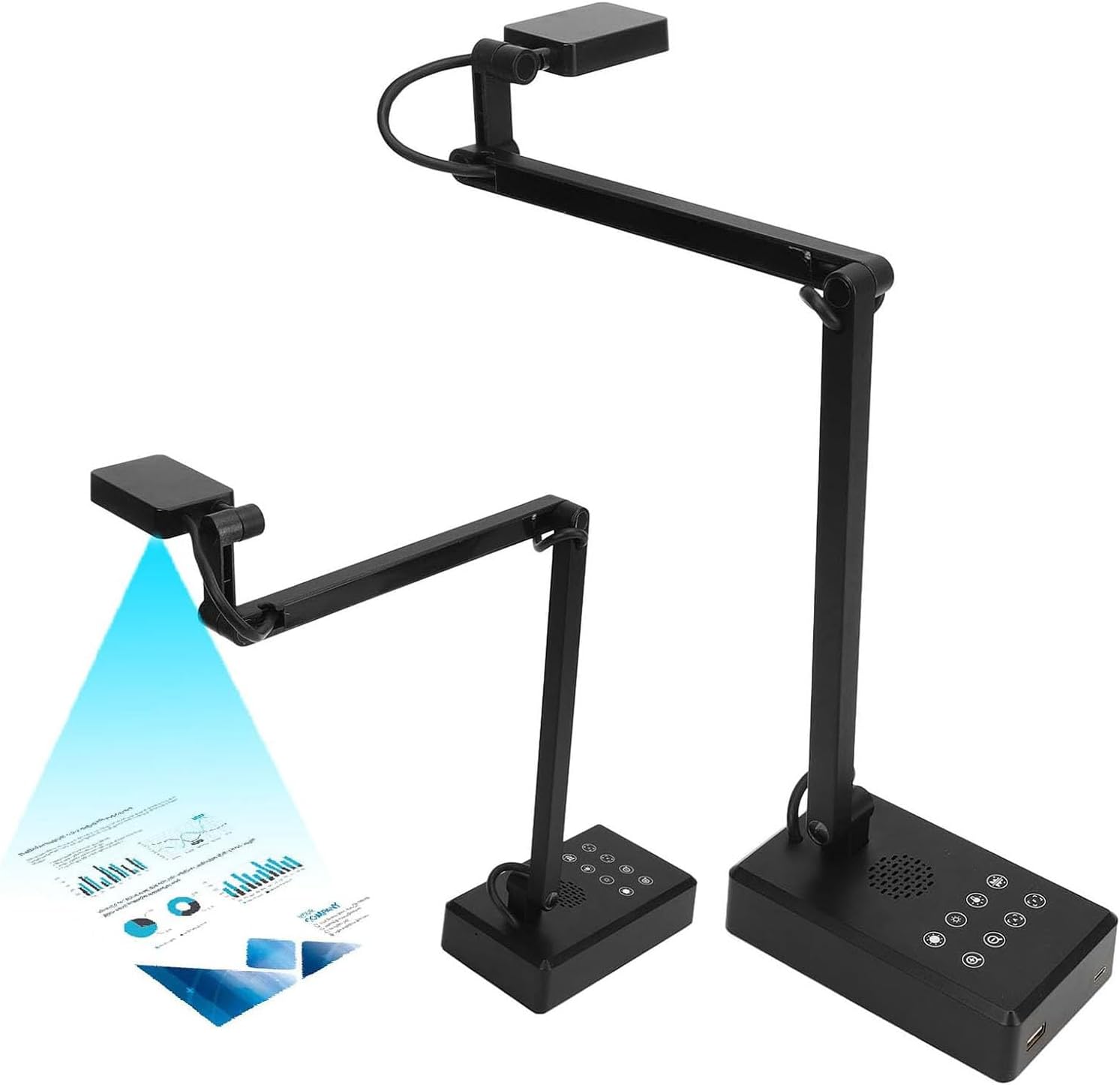
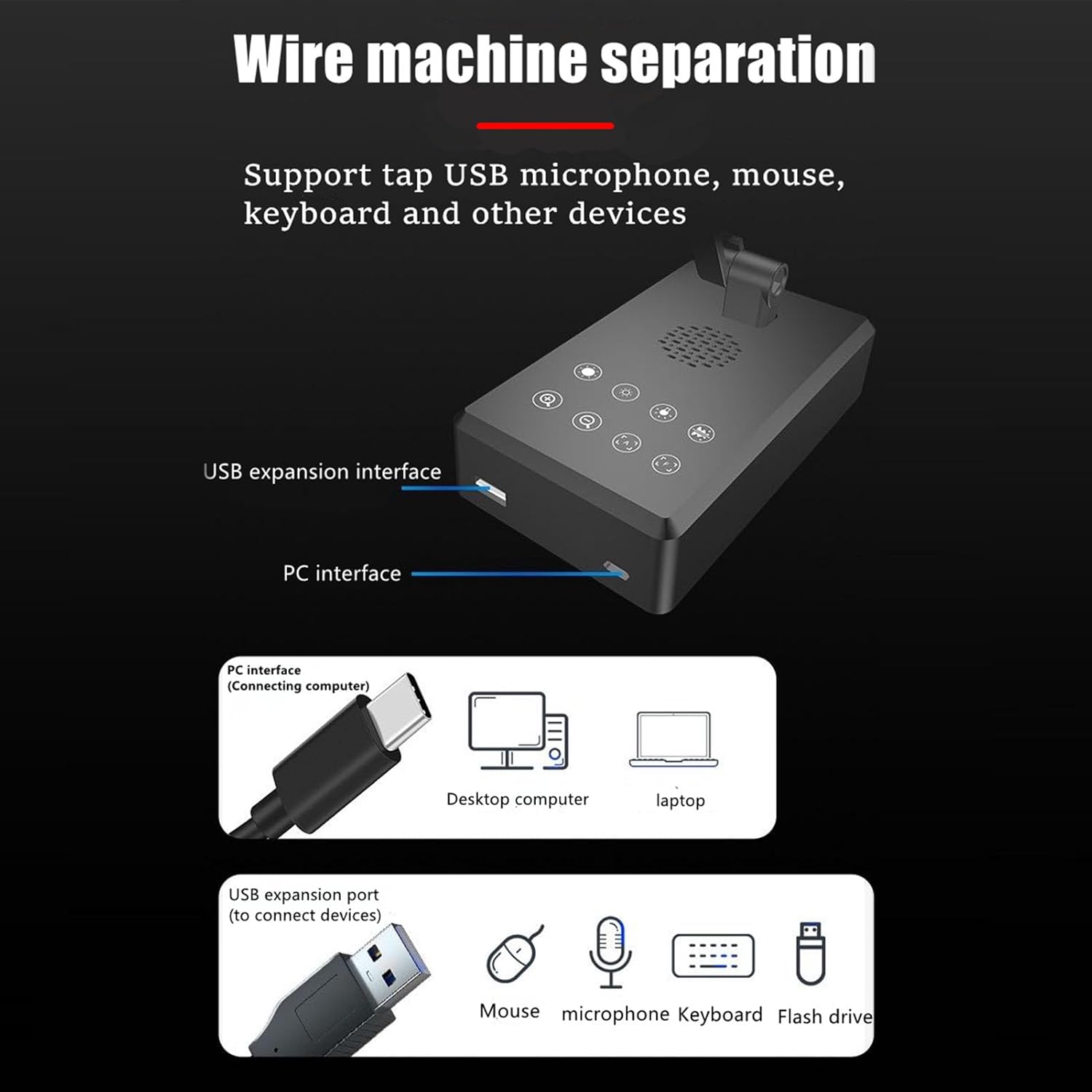
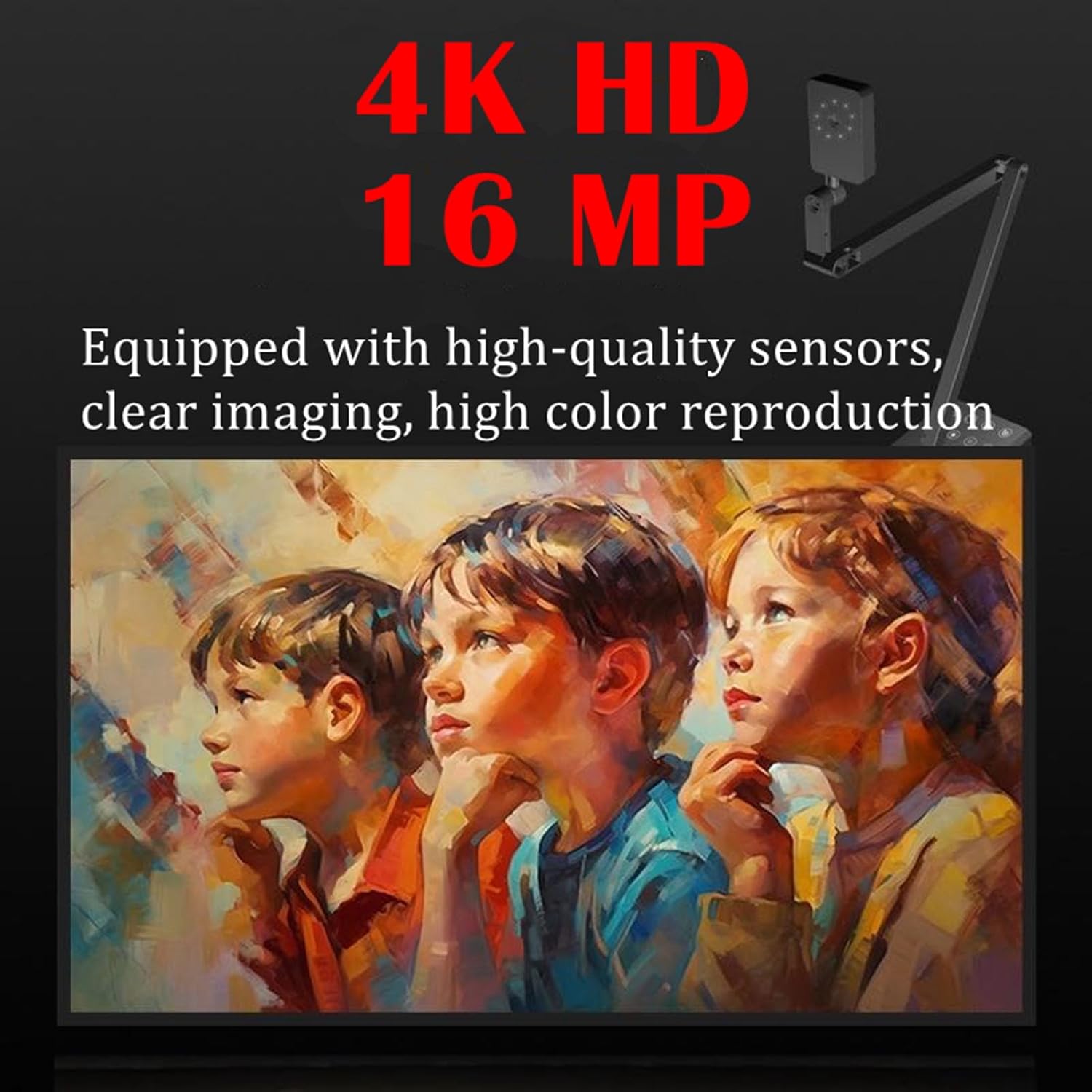
Docooler USB Document Camera, 4K 16MP Document Webcam Adjustable Angle with Microphone, USB Doc Camera with Flexible Arm for Online Learning, Remote Teaching, Web Conferencing, Live Demo

3.10

지난 32시간 동안 판매됨 34

$ 64.59
$ 65.00
-0.63%

I'm a teacher and use this in my class. I need documents to be viewable and to be able to interact with them. I need to get able to zoom in so documents can be read across the room. It states it zooms in... It does not. The button does nothing.It's awkward to get documents on the screen as you have to push buttons to flip it every single time because it won't keep settings.Picture quality is absolutely amazing.Overall... It's awkward.

28 현재 누군가가 웹사이트를 탐색 중입니다.

수량:
- +

예상 배송 시간: 12~26일(국제), 3~6일(미국)

구매일로부터 45일 이내에 반품이 가능합니다. 관세 및 세금은 환불되지 않습니다.

  • ASIN:

    B0DP23XBM6

  • BEST_SELLERS_RANK:

    #663,467 in Office Products (See Top 100 in Office Products) #117 in Document Cameras

  • CUSTOMER_REVIEWS:

    3.1 3.1 out of 5 stars (4) 3.1 out of 5 stars

  • DATE_FIRST_AVAILABLE:

    November 26, 2024

  • ITEM_MODEL_NUMBER:

    EYB2516486145165TE

  • ITEM_WEIGHT:

    1.37 pounds

  • MANUFACTURER:

    docooler

  • PACKAGE_DIMENSIONS:

    12.8 x 5.31 x 3.43 inches

안전한 결제를 보장하세요

제품 상세 정보
With the full-screen viewing window, you can zoom in/out, freeze the video streaming, rotate the image, adjust the brightness, adjust the focus, add annotate, and change resolution in this Visualize mode. Support for Windows 7、8、10 and other systems Click to take a picture intelligent recognition, automatic cropping and deskewing. remove the background color all help you to complete easily
고객 리뷰
3.10

(100 점수)

5
29
4
0
3
28
2
15
1
28
댓글 취소
댓글을 남겨주세요

6 논평

3.0 out of 5 stars It's awkward
2026-01-07    -T8ermomma

I'm a teacher and use this in my class. I need documents to be viewable and to be able to interact with them. I need to get able to zoom in so documents can be read across the room. It states it zooms in... It does not. The button does nothing.It's awkward to get documents on the screen as you have to push buttons to flip it every single time because it won't keep settings.Picture quality is absolutely amazing.Overall... It's awkward.

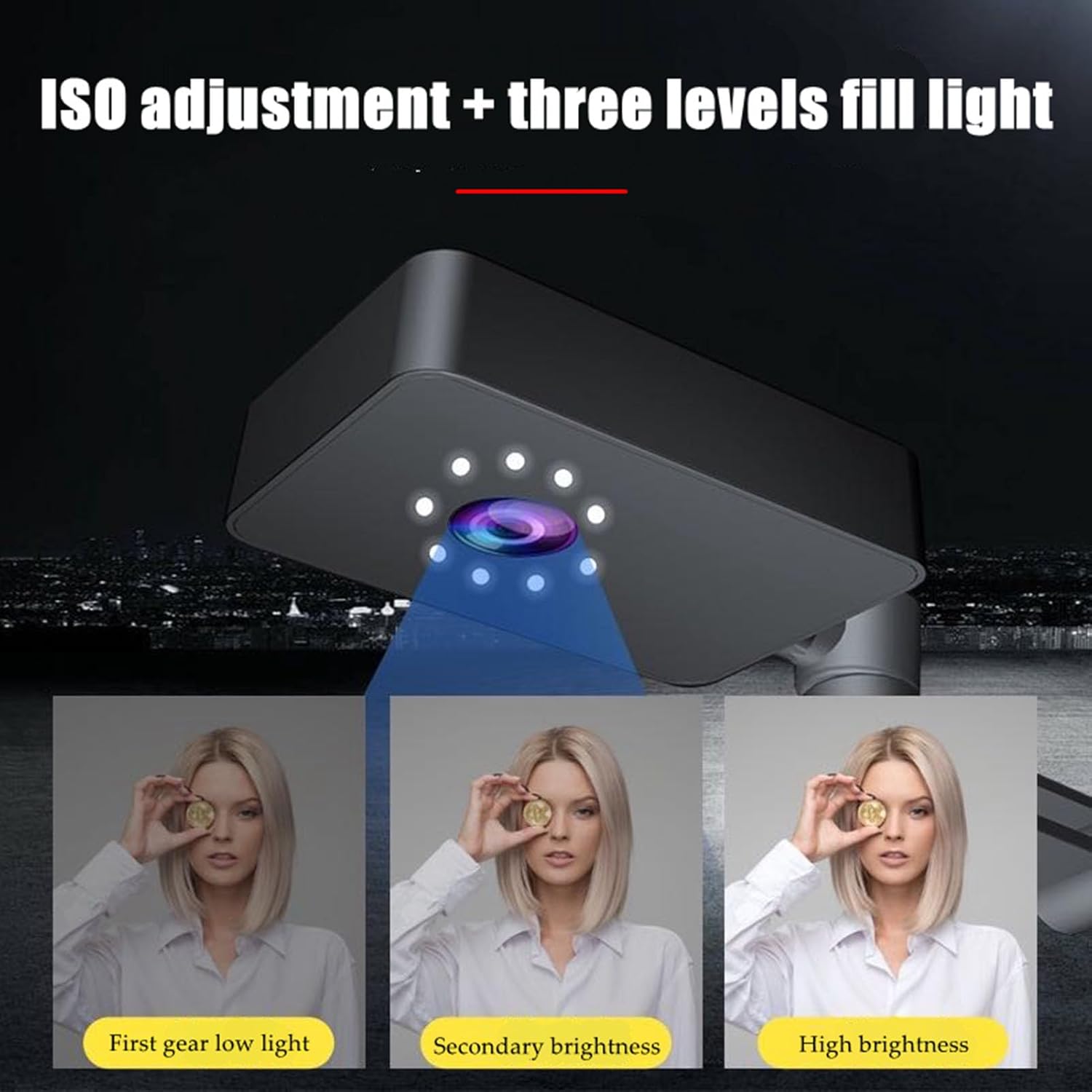
I really like this camera overall for its ability to showcase things that are laid out on a table. Whether I am live streaming a project or scanning a document, it does a great job of capturing the details I need. I appreciate that it works right out of the box and is detected as a simple USB webcam without needing to install any extra software. That is a big plus in my book.The built-in microphone works decently well if you are close to it. It is fine in a pinch, but I would still recommend using an external mic if you want a more professional sound. The mic quality reminds me of those used in Zoom or Teams meetings with a mic in the middle of the boardroom table. It gets the job done, but it is not going to blow anyone away.I use this camera primarily for YouTube videos where I work on PCB boards and do cleaning and repair content. I needed something that was compact, easy to position, and offered clear enough visuals so my streams and videos look good enough for folks to be able to see what I'm working on. This camera checks all those boxes for me. The lighting options with multiple brightness levels are also a nice touch for different setups. Historically I had to use additional lighting on the desk, but with these built in lights, I don't need to do that anymore.If you need a solid document camera or overhead webcam for content creation or demonstrations, I would recommend this one. It is functional, easy to use, and offers solid quality for the price. Just pair it with a better mic if audio is important to your setup.

3.0 out of 5 stars It's awkward
2026-01-06    -T8ermomma

I'm a teacher and use this in my class. I need documents to be viewable and to be able to interact with them. I need to get able to zoom in so documents can be read across the room. It states it zooms in... It does not. The button does nothing.It's awkward to get documents on the screen as you have to push buttons to flip it every single time because it won't keep settings.Picture quality is absolutely amazing.Overall... It's awkward.

I really like this camera overall for its ability to showcase things that are laid out on a table. Whether I am live streaming a project or scanning a document, it does a great job of capturing the details I need. I appreciate that it works right out of the box and is detected as a simple USB webcam without needing to install any extra software. That is a big plus in my book.The built-in microphone works decently well if you are close to it. It is fine in a pinch, but I would still recommend using an external mic if you want a more professional sound. The mic quality reminds me of those used in Zoom or Teams meetings with a mic in the middle of the boardroom table. It gets the job done, but it is not going to blow anyone away.I use this camera primarily for YouTube videos where I work on PCB boards and do cleaning and repair content. I needed something that was compact, easy to position, and offered clear enough visuals so my streams and videos look good enough for folks to be able to see what I'm working on. This camera checks all those boxes for me. The lighting options with multiple brightness levels are also a nice touch for different setups. Historically I had to use additional lighting on the desk, but with these built in lights, I don't need to do that anymore.If you need a solid document camera or overhead webcam for content creation or demonstrations, I would recommend this one. It is functional, easy to use, and offers solid quality for the price. Just pair it with a better mic if audio is important to your setup.

Dont buy this
2025-12-23    -Grahame G

The "user manual" needs a high powered magnifier to read it as it is so small; the buttons on the item are in Chinese, Korean, Japanese certainly not English. It feels cheap and tacky and is going back. I would not recomend this item. Amazon do themselves no favours by selling cheap junk.

Dont buy this
2026-02-14    -Grahame G

The "user manual" needs a high powered magnifier to read it as it is so small; the buttons on the item are in Chinese, Korean, Japanese certainly not English. It feels cheap and tacky and is going back. I would not recomend this item. Amazon do themselves no favours by selling cheap junk.

댓글을 남겨주세요:

댓글 제목
댓글 내용
배송 및 반품
우리가 당신을 보호하겠습니다

대부분 지역에서는 배송비를 한 번만 지불하시면 됩니다 (주문 및 배송 페이지를 확인해 주세요).

구매 후 14일 이내 무료 반품 가능 (단, 수명이 다한 제품, 맞춤 제작 상품, 마스크, 향수 및 에어로졸과 같이 위험하거나 인화성 물질이 포함된 일부 제품은 제외).

수입 관세 정보

복잡한 절차는 저희가 처리해 드리겠습니다. 카나리아 제도를 제외한 모든 EU 국가, 영국, 미국, 캐나다, 호주, 뉴질랜드, 푸에르토리코, 스위스, 싱가포르, 한국, 쿠웨이트, 멕시코, 카타르, 인도, 노르웨이, 사우디아라비아, 대만, 태국, UAE, 일본, 브라질, 맨섬, 산마리노, 콜롬비아, 칠레, 아르헨티나, 이집트, 레바논, 홍콩 특별행정구, 바레인, 터키로 배송되는 상품 가격에는 모든 수입 관세가 포함되어 있습니다. 표시된 가격이 최종 결제 금액입니다.

예상 배송 시간

특급 배송: 7-10일

해당 창고에서 배송되었습니다.

더 자세한 정보가 필요하신가요?
반품 정책
반품 정책

저희는 제품 품질에 자신 있습니다. 만약 구매하신 제품에 완전히 만족하지 못하신다면, 수령일로부터 30일 이내에 간편하게 반품하실 수 있도록 정책을 마련해 두었습니다.

간편한 교환 또는 환불
  • 다른 사이즈, 색상 또는 스타일의 상품으로 교환하거나 전액 환불받을 수 있습니다.
  • 반품되는 모든 상품은 착용하지 않은 상태여야 하며, 원래 포장 상태 그대로 모든 태그가 손상되지 않은 상태여야 합니다.
간단한 절차
  • 온라인으로 반품을 신청하거나 고객 서비스 팀에 문의하여 도움을 받으실 수 있습니다.
  • 물품을 제대로 포장해 주시고, 원래의 포장 목록도 함께 넣어주세요.
  • 반품하실 상품을 보내주실 때에는 저희가 제공해 드린 선불 배송 라벨을 사용해 주시기 바랍니다.
  • 환불 요청 접수 즉시 처리해 드리겠습니다.

반품과 관련하여 궁금한 점이나 우려 사항이 있으시면 언제든지 저희 전문 고객 서비스 팀에 문의해 주세요. 고객 만족은 저희의 최우선 목표입니다.
범주
차이
제품
모든 제품 지우기